Over the years, I have had more than my fair share of using note-taking apps—having extensively used Evernote, OneNote, Simplenote, and Google Keep. Each promised to be the ultimate second brain, but eventually, the friction of syncing issues, bloated interfaces, or subscription fatigue pushed me away. Sometimes, though, the best move isn't to look for the next big app, but to return to a reliable old favorite.
Zoho Notebooks At a Glance
| App in Focus | Time Away | Primary Reason for Return | Verdict |
|---|---|---|---|
| Zoho Notebook | ~6 Years | Native Markdown support & Linux stability | The perfect balance of visual design and text power |
A Notebook That Stayed with Me
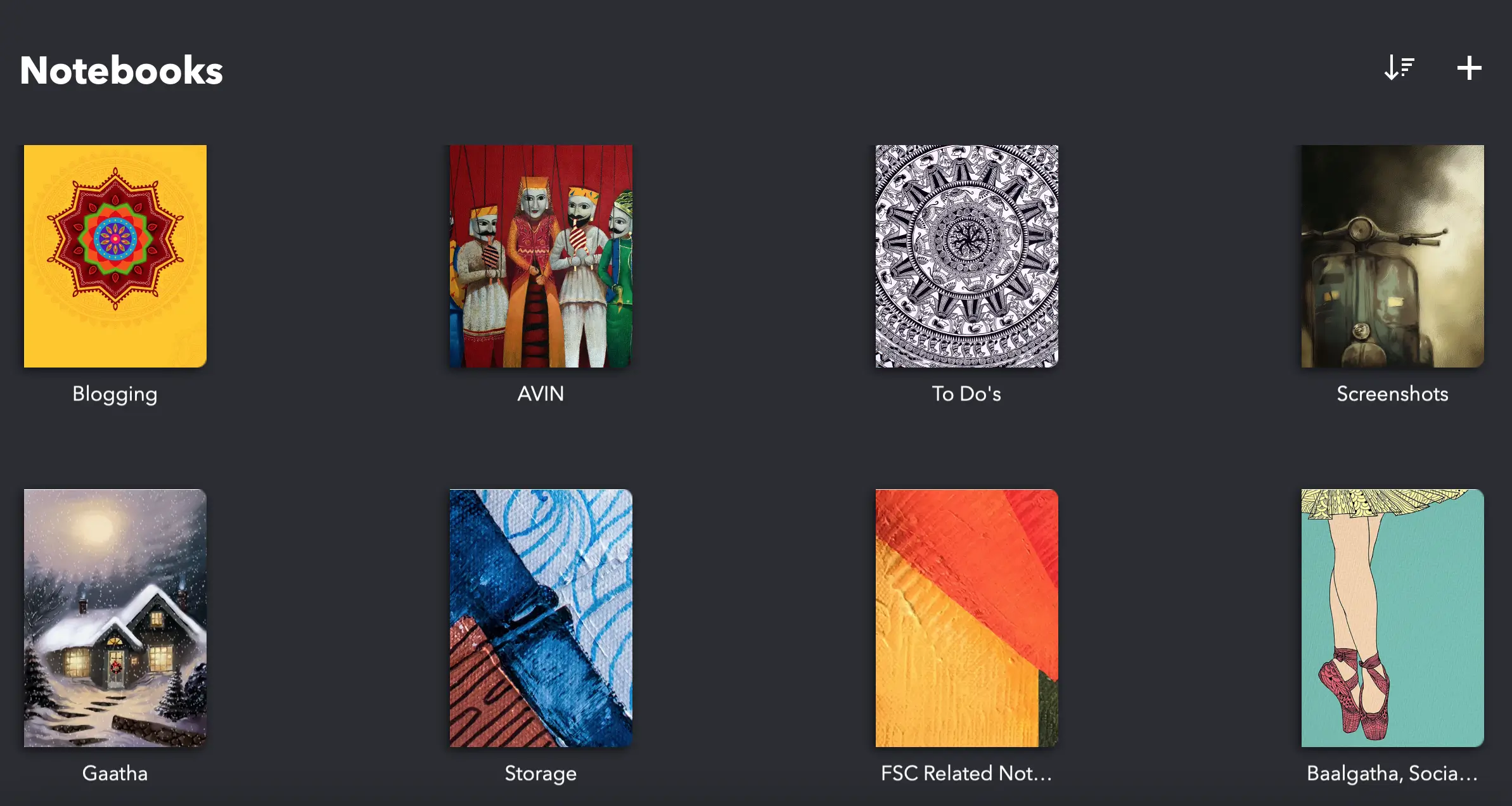
When I first tried Zoho Notebook years ago, what struck me was its visual appeal. Unlike the clinical, text-heavy lists of Simplenote or the overwhelming corporate sprawl of OneNote, Zoho opted for a beautiful, card-based interface. You didn't just have files; you had distinct "notebooks" with custom covers. Notes weren't just text; they were smartly categorized into Text, Audio, Photo, and Checklist cards. It felt personal, intuitive, and remarkably clean. Even as I migrated to more complex systems, that distinct visual elegance always stayed with me.
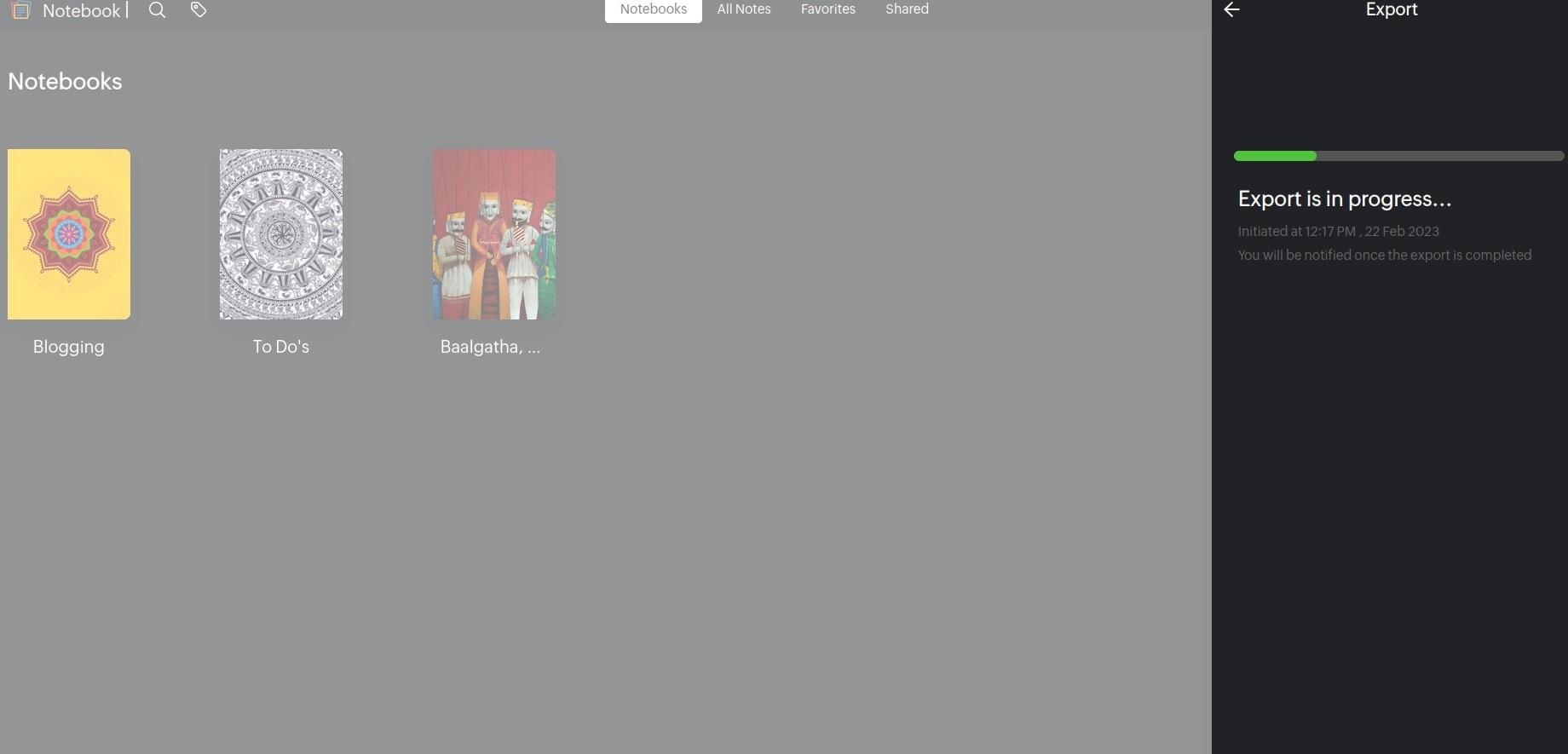 Exporting content from Zoho Notebooks
Why I Came Back After Several Years
The fatigue of complex note-taking systems finally caught up with me. Managing intricate webs of backlinks or troubleshooting sync conflicts across devices takes time away from actual writing. The real turning point, however, was twofold. First, I decided to invest in the Zoho Notebook paid plan, which unlocked a more robust tier of syncing and storage. Second—and this was the absolute game-changer—I recently discovered that Zoho Notebook now features a native Markdown documentation option.
Previously, I was drafting code-heavy tutorials or formatted posts on multiple third-party sites like [Placeholder for Site 1] and [Placeholder for Site 2], only to copy-paste them later. Having Markdown built directly into Zoho means I can consolidate my entire workflow into one unified space.
Comparison: Zoho Notebook vs. The Alternatives Here is a quick look at where Zoho sits in today's productivity landscape compared to heavyweights like Obsidian and Joplin.
| Feature | Zoho Notebook | Obsidian | Joplin |
|---|---|---|---|
| Syncing | Native / Cloud | Paid / Third-party | Native / Self-hosted |
| Learning Curve | Very Low | High | Medium |
| Visual Appeal | High (Card-based) | Medium | Medium |
| Open Source | No | No | Yes |
Note: Zoho Notebook is proprietary software, unlike Joplin or other open-source alternatives. If absolute offline control and open code are your top priorities, an open-source alternative may be a better fit.
 Screenshot of Zoho Notebooks
How I Use Zoho Notebook Today
Capturing Ideas Anywhere
The strength of Zoho Notebook lies in its frictionless capture. On mobile, the app is incredibly responsive for quick voice memos when I am walking, or snapping a photo of a whiteboard. On the desktop, the web clipper is indispensable for grabbing articles, saving snippets of code, or bookmarking references for upcoming posts. Everything drops into a default inbox notebook, keeping the capture process fast and distinct from the organizing process.
Organising Research and Blog Drafts
My methodology relies heavily on Zoho's color-coded note cards and tagging system. I keep distinct notebooks for "AmarBlog Drafts," "Linux Research," and "Personal Admin." When an idea graduates from a raw note to a structured blog post, I switch over to the Markdown card. This allows me to write distraction-free, format my H2s and tables seamlessly, and prepare the text exactly as it will appear on the CMS. The visual nature of the app means I can easily drag a photo reference right next to my Markdown draft, giving me a perfectly organized digital desk.
Installing Zoho Notebook on Linux
Test Environment
| Item | Value |
|---|---|
| Tested on | Debian 13 |
| Desktop | XFCE |
| Zoho Notebook Version | x.x.x |
| Last Tested | August 2026 |
| Experience | Excellent |
My Earlier Experience on Manjaro (2023)
When I previously attempted to make Zoho Notebook my daily driver on Linux around 2023, I was running Manjaro. The experience was a mixed bag. Relying on AUR (Arch User Repository) packages meant dealing with occasional dependency breakages and UI scaling quirks. While it functioned, it didn't feel native, and the minor friction points contributed to my eventual shift to other tools.
Installing on Debian in 2026
Zoho has supported installation of Zoho Notebooks on Linux for past several years. Fast forward to 2026, and the landscape is completely different on Debian 13. The installation process is straightforward, and the app feels incredibly polished. Whether you use the official .deb package or the Snap/Flatpak versions, it integrates flawlessly with the XFCE desktop environment. System tray icons work as expected, notifications are native, and memory usage remains remarkably low compared to Electron-heavy alternatives.
To install the .deb package, you simply download it from the official site and run:
$ sudo dpkg -i zoho-notebook-*.deb
$ sudo apt --fix-broken install
 Installing Zoho Notebooks on Linux
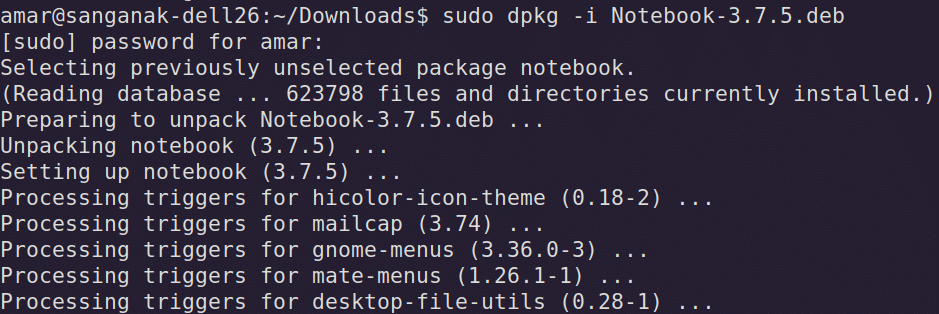 Installing Zoho Notebooks on Debian
Is Zoho Notebook Right for You?
If you are on the fence about making the switch, here is a quick breakdown to help you decide.
| Ideal For... | Not Recommended For... |
|---|---|
| Users who want flawless cross-platform sync out of the box | Hardcore privacy advocates needing local-only, offline storage |
| Visual thinkers who appreciate a beautiful, card-based interface | Power users heavily reliant on sprawling community plugins |
| Writers looking for an all-in-one organizer with native Markdown | Open-source purists |
 Pricing for Zoho Notebooks, August 2026
Free plan hsa 2 GB of storage space for zoho notebooks.
Lessons Learnt
The biggest takeaway from my multi-year detour through Evernote, OneNote, Simplenote, and Google Keep is that "tool-hopping" is often a sophisticated form of procrastination. We spend so much time building the perfect system that we forget to actually do the work. By settling on Zoho Notebook—especially with its reliable syncing and the newly discovered Markdown feature—I traded endless customization for actual output. Sometimes, consolidating your workflow into a single, proprietary app that just works is the best productivity hack of all.
Hindi Summary कई सालों तक एवरनोट, वननोट और गूगल कीप जैसे अलग-अलग ऐप्स का इस्तेमाल करने के बाद, मैं 2026 में वापस ज़ोहो नोटबुक (Zoho Notebook) पर आ गया हूँ। इसका नया मार्कडाउन (Markdown) फीचर और डेबियन लिनक्स (Debian Linux) पर इसका बेहतरीन प्रदर्शन इसे मेरे लिए सबसे अच्छा और भरोसेमंद टूल बनाता है।
Marathi Summary एव्हरनोट, वननोट आणि गुगल कीप यांसारख्या अनेक ॲप्सचा वापर केल्यानंतर, मी 2026 मध्ये पुन्हा झोहो नोटबुक (Zoho Notebook) कडे वळलो आहे. यात नव्याने आलेले मार्कडाउन (Markdown) फिचर आणि डेबियन लिनक्स (Debian Linux) वरील उत्तम कार्यक्षमता यामुळे हे ॲप माझ्यासाठी अत्यंत उपयुक्त ठरले आहे.
 Importing Markdown files into zoho notebook
References & Further Reading
Also read: series on Command line editors for Linux:
This series explores terminal-based text editors for Linux, featuring the classic ed, a beginner's guide to micro, a minimalist writing environment using Slackware, and an introduction to Helix for authors and bloggers.
 Migration and importing documents in Zoho Notebooks, August 2026