This post is about building a writing machine that does one thing well: lets you write without fighting your computer. I walk through why I chose Slackware Linux as the foundation, how I configured Neovim and Emacs for drafting and manuscript organisation, and how to set up multilingual writing in Hindi and Marathi. I also cover benchmarking on vintage hardware and automating the export pipeline so you can go from raw draft to typeset output without ever leaving the terminal.
मराठी सारांश: या लेखात मी स्लॅकवेअर लिनक्सवर एक कमीत कमी विकर्षणातून लेखन वातावरण तयार करण्याबद्दल सांगतो. निओव्हिम, इमॅक्स ऑर्ग मोड आणि हिंदी-मराठी बहुभाषिक लेखनाची सेटअप माहिती यात समाविष्ट आहे.
हिंदी सारांश: इस लेख में मैं स्लैकवेयर लिनक्स पर एक न्यूनतम विघटन-मुक्त लेखन वातावरण बनाने के बारे में बताता हूँ। इसमें नियोविम, इमैक्स ऑर्ग मोड और हिंदी-मराठी बहुभाषिक लेखन सेटअप की जानकारी शामिल है।
Note: I had first tried setting up this environment in 2017-18 era, most screenshots are from that era.
The need for a Minimalist Writing Environment
Every operating system I have used in the last decade seems designed to pull me away from writing. Notifications stack up, browsers demand updates, AI assistants hover in the sidebar waiting to interrupt my train of thought, and cloud sync tools constantly check whether my documents are current. Holding onto a single idea long enough to finish a paragraph has become a daily battle. I wanted to build a true digital typewriter — a machine that boots up, launches a text editor, and gets out of the way. This desire led me back to Slackware Linux, a distribution that has stayed true to the classic Unix philosophy for over thirty years and provides exactly the bare minimum needed to start writing.
Ideal candidate: laptop with Vintage Hardware
Building a distraction-free digital typewriter on an aging laptop is precisely where Slackware excels. During my testing on a vintage Dell Latitude D520, the core temperatures remained impressively stable even under sustained workloads. With a simple SATA solid-state drive, the system achieved consistent buffered disk reads of around 256 megabytes per second. Because Slackware does not force heavy automatic background processes, I could allocate the limited CPU entirely to my writing workflow. This performance proves that you do not need expensive, modern hardware to maintain a robust and efficient writing setup. (I later replicated this experiment on a 2012 MacBook Pro Retina — that story has its own dedicated write-up here.)
Setting Up Your Core Minimalist Tools
The real magic of this setup lies in selecting applications that are terminal-based or rely on exceptionally light graphical toolkits. I used the official package manager to install XFCE, which serves as a clean, modular desktop canvas — nothing more than a frame for the tools that matter. Once the base graphical environment was ready, I compiled Neovim and Emacs to serve as my primary text editors. Neovim launches instantly for rapid drafting sessions. Emacs functions as a comprehensive, Lisp-powered command centre for organising longer manuscripts and structured notes. The following commands handle the system update and base graphical interface installation.
# Update your Slackware system securely
sudo slackpkg update && sudo slackpkg upgrade-all

# Install XFCE and essential terminal tools
sudo slackpkg install xfce xfce4-panel xfce4-session xfce4-terminal
The Art of Enough in Modern Computing
In an age of rolling releases and flashy desktop environments, Slackware continues to teach me one fundamental lesson. After years of hopping between distributions, returning to a purely minimalist setup forces a deep, productive sense of intentionality. I cannot hide behind a beautiful user interface. I must face the text directly and engage with my thoughts. This philosophical shift transformed my ordinary computer into a dedicated study space where words flow without digital noise. The resulting workflow connects raw terminal drafting to typeset final manuscripts without requiring an active internet connection.
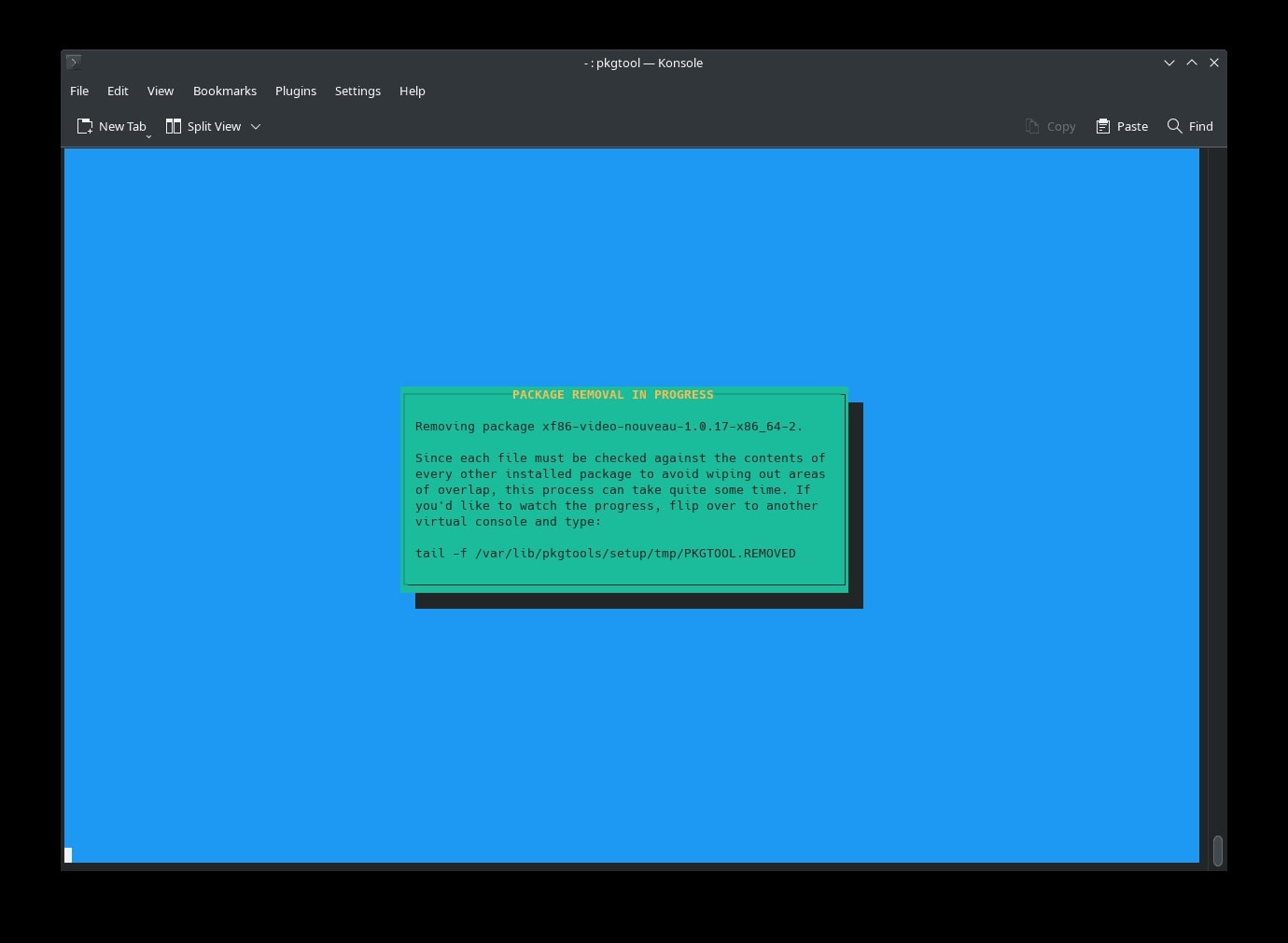 using slackpkg to Prune bloatware from Slackware installation
Multilingual Writing with Emacs Org Mode
If you are a writer working in multiple languages like Hindi and Marathi, configuring Emacs for Devanagari script is absolutely essential. By installing the ttf-indic-fonts package alongside the IBus input method framework, you can type seamlessly in regional Indian languages. Running Emacs in terminal mode completely disables heavy graphical elements, keeping the application footprint well under a mere 100 megabytes. This specific configuration allows you to mix English, Hindi, and Marathi within a single document without experiencing any annoying rendering issues. Below is the exact initialization code required to enable Unicode support and map your regional input methods highly efficiently.
;; Enable Unicode and Devanagari fonts natively
(set-face-attribute 'default nil :font "Lohit Devanagari-12")
(prefer-coding-system 'utf-8)

;; Use IBus for Devanagari (Hindi/Marathi) input
(setq default-input-method "ibus")
(global-set-key (kbd "C-\\") 'toggle-input-method)
Managing System Resources Effectively
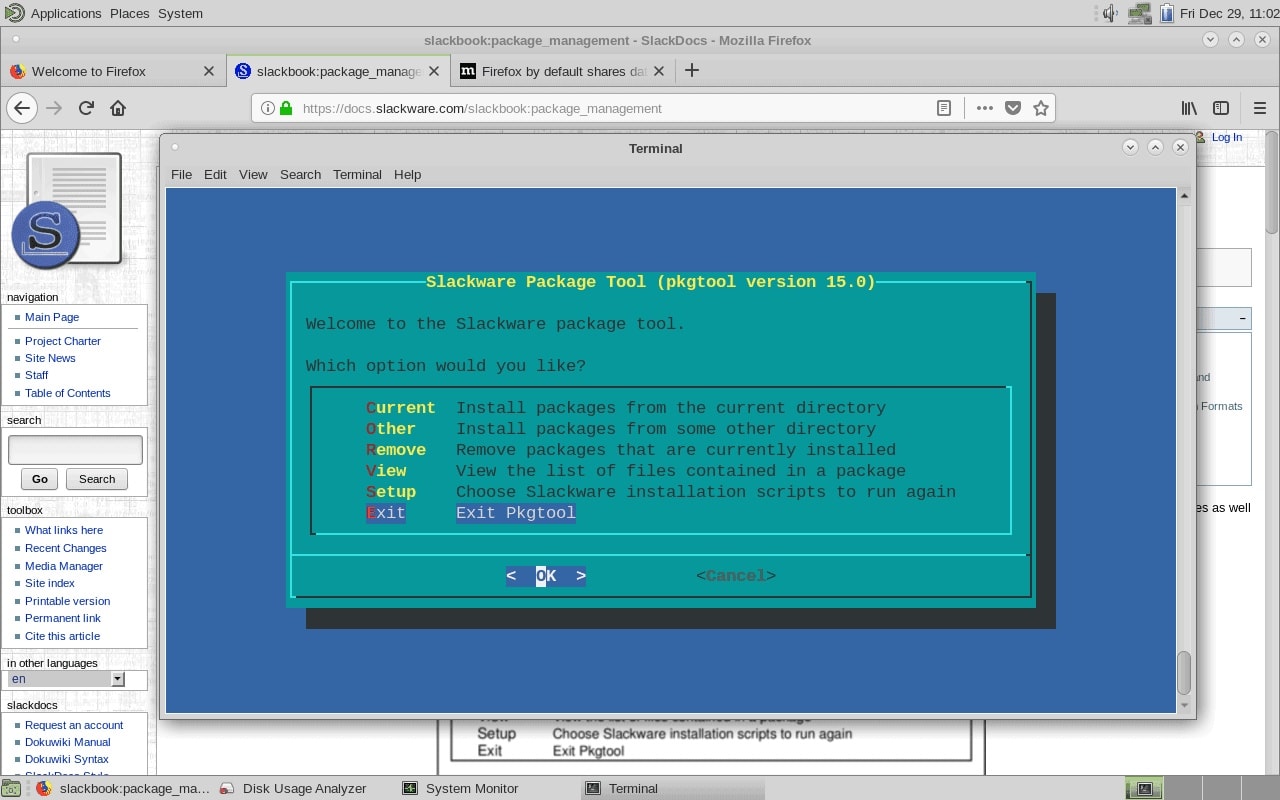
Given the strict hardware constraints of older dual-core processors, monitoring system resources keeps the writing environment fluid. Relying strictly on terminal applications like Neovim and a stripped-down Emacs guarantees my overall memory usage stays exceptionally low. When I ran system benchmarks, these background processes consumed significantly less memory than a single modern web browser tab. I regularly use system monitoring tools to verify that my processor is dedicated entirely to my creative applications. If the system ever feels sluggish, I drop back to a pure terminal interface without losing any core functionality.
Alternative Editors Considered
During my search for a distraction-free writing environment, I evaluated several tools before settling on Neovim and Emacs. Neovim remains my primary choice for its instant launch and modal editing that eliminates mouse dependency. Zed Editor caught my attention as a modern Rust-based alternative with collaborative features, but I abandoned it for Slackware due to GPU acceleration requirements that clashed with vintage hardware. FocusWriter offers a full-screen immersive interface but relies on heavy GTK dependencies that defeat the minimalist ethos I was pursuing. The terminal-based approach wins because every byte of RAM serves the writing task, not the application chrome.
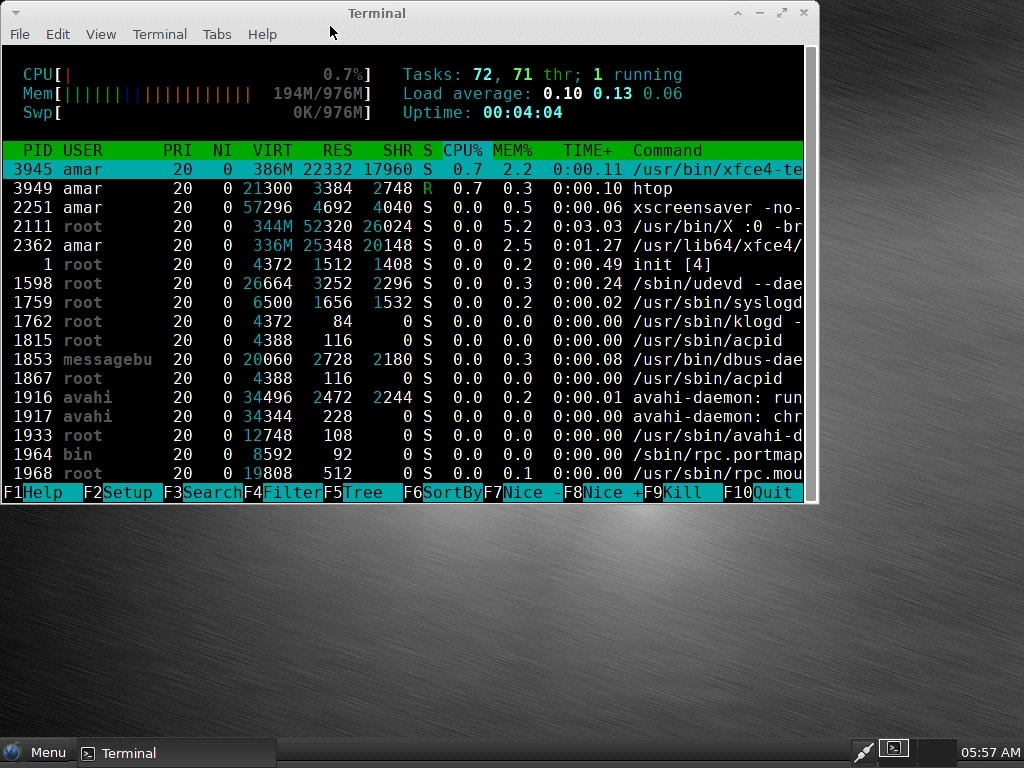 Vector Linux, a now discontinued fork of Slackware, was one of my preferred methods of using a minimalist environment
Links and Resources
-
Slackware Linux Project — Official homepage, download mirrors, and release announcements for Slackware 15.0.
-
SlackBuilds.org — Community-maintained build scripts for compiling Neovim, Emacs, and other packages on Slackware.
-
Emacs Org Mode Manual — Official documentation for structuring manuscripts with Org mode.
-
Pandoc User Guide — Reference for exporting documents to multiple formats including HTML5 and PDF.
-
DistroWatch: Salix — Slackware-based fork with simplified package management.
-
DistroWatch: Porteus — Lightweight live CD/USB Linux based on Slackware.