Review of TinyCP Server Control Panel for VPS Management
TinyCP is a lightweight open-source server control panel that defies its modest name with powerful server management features. This comprehensive review covers installation on Debian 12 VPS, resource efficiency benchmarks, core functionalities including domain management, databases, email, SSL automation, and explains why it's suitable for both beginners and experienced administrators. We'll also explore video walkthroughs, dashboard screenshots, and address common questions about scalability, security, and third-party integrations.
Video Walkthrough: TinyCP Screenshot Gallery & Feature Tour
Watch this comprehensive video walkthrough showcasing the TinyCP interface, installation process, and key features in action:
Small but mighty — that's the perfect way to describe TinyCP, a rising star in the world of web hosting control panels. Despite its modest name, this powerful open-source tool offers an impressive array of features and functionalities that rival some of the more well-known control panels in the market.
Whether you're a web developer, a business owner, or a server administrator, TinyCP has something to offer for everyone. In this comprehensive review, we'll take a closer look at what makes TinyCP stand out, how to set it up on a Debian 12 VPS, and why it has gained a loyal following among users managing everything from personal projects to production servers. From its user-friendly interface to its impressive list of tools and utilities, we'll delve into the key aspects of this control panel and discover the hidden gems that make TinyCP a force to be reckoned with in the world of server management.
TinyCP is an open-source server control panel designed to provide a powerful yet lightweight solution for managing your server infrastructure. Built with efficiency in mind, it offers a user-friendly web interface for handling server tasks that traditionally required command-line expertise.
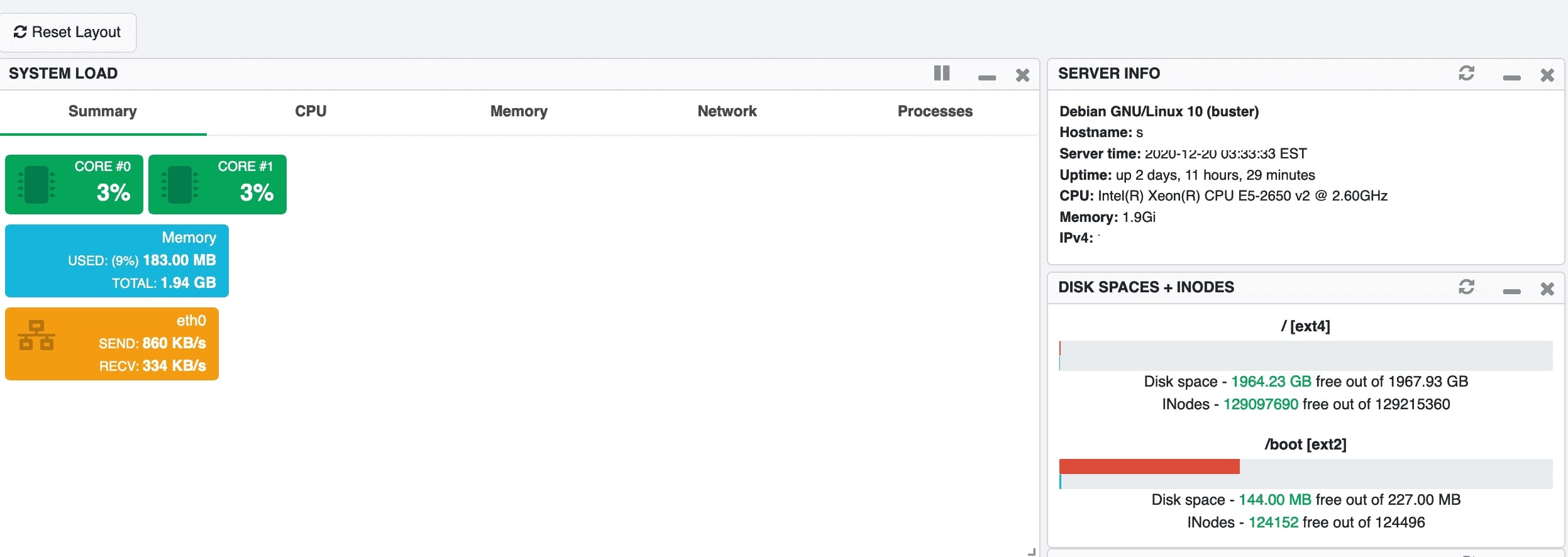 TinyCP Admin Dashboard — clean, organized, and information-rich interface
Core Philosophy: Lightweight Without Compromise
Unlike heavier alternatives like cPanel or Plesk that can consume significant system resources, TinyCP is engineered to have a minimal footprint. This makes it an ideal choice for:
- Small to medium VPS instances (512MB - 2GB RAM)
- Developers who want maximum resources for their applications
- Cost-conscious users running on budget cloud providers
- Anyone who prefers a clean, uncluttered interface
"TinyCP proves that you don't need a resource-heavy control panel to manage a production server effectively. It gives you 90% of the functionality with 10% of the overhead."
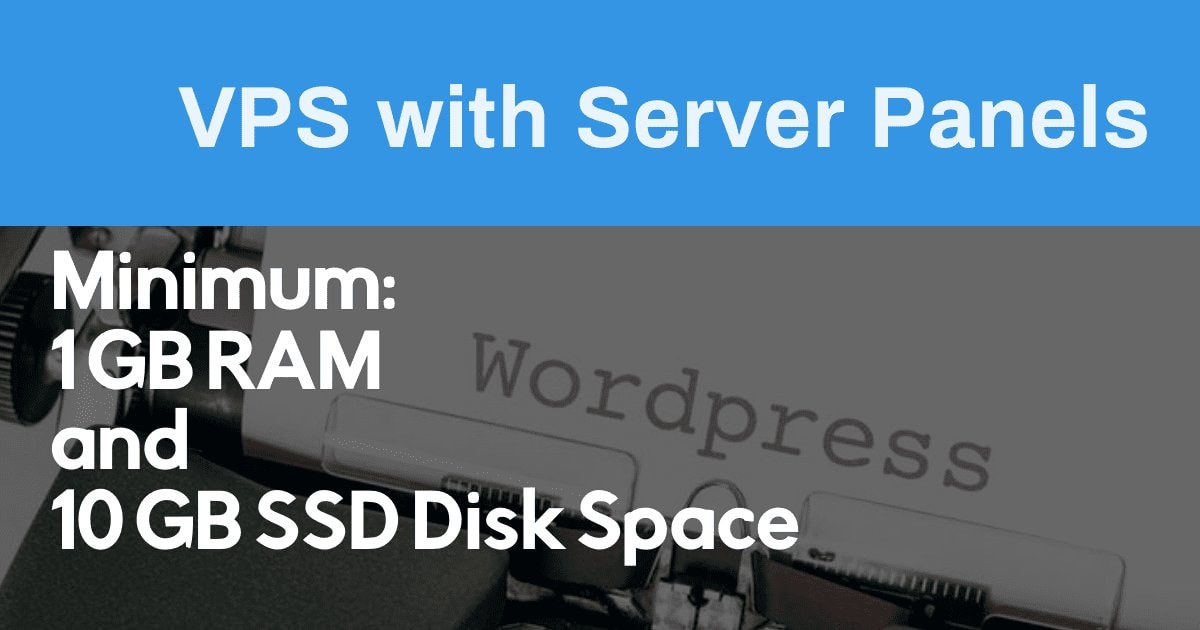 Recommended Specifications
Powerful Features in a Small Package
TinyCP packs a robust feature set that covers most server management needs without unnecessary bloat:
Don't let the compact size fool you — TinyCP packs a comprehensive feature set that covers virtually all server management needs:
| Domain & Website Management | Database Administration |
|---|---|
| - Add/remove domains and subdomains with ease - Automatic virtual host configuration (Nginx/Apache) - Let's Encrypt SSL certificate automation - Redirect and alias management |
- MySQL/MariaDB and PostgreSQL support - Database/user creation with privilege management - phpMyAdmin/phpPgAdmin integration - Backup and restore functionality |
| Email Server Management | File & Resource Management |
|---|---|
| - Postfix + Dovecot configuration - Email account, alias, and forwarder creation - Spam filtering (SpamAssassin) and antivirus (ClamAV) - DKIM, SPF, and DMARC setup assistance |
- Built-in file manager with code editor - FTP/SFTP account management - Resource monitoring (CPU, RAM, Disk, Network) - Log file viewer and analyzer |
Low Resource Usage, High Efficiency Performance
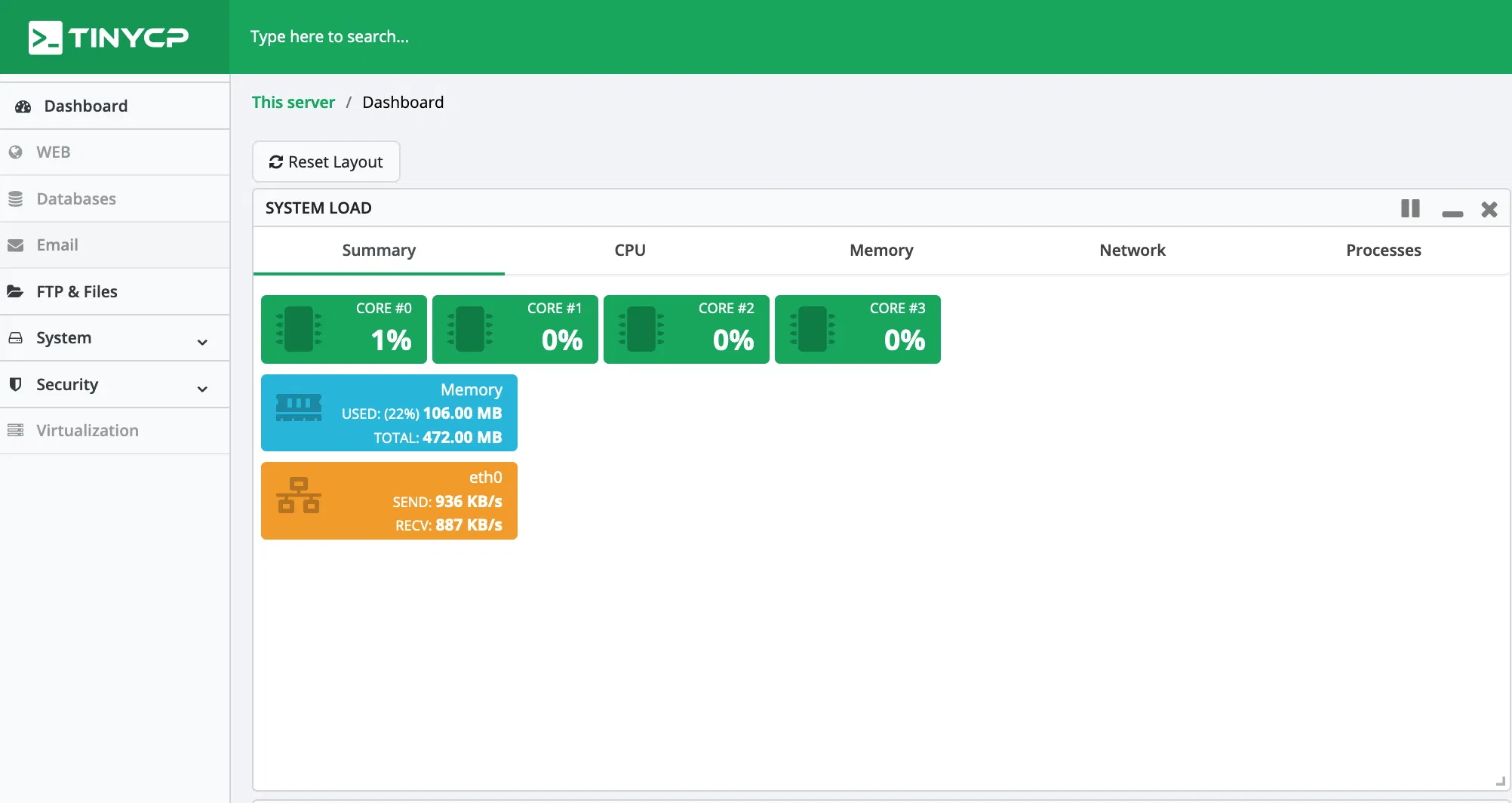 TinyCP running comfortably on a 512MB VPS — minimal resource footprint demonstration
One of TinyCP's standout characteristics is its exceptional resource efficiency. In our testing on a 512MB RAM VPS, the control panel itself consumed less than 30MB of RAM when idle, leaving the vast majority of resources available for your actual applications.
Resource Comparison (Approximate Idle Usage)
| Control Panel | RAM Usage (Idle) | Disk Footprint | CPU Impact |
|---|---|---|---|
| TinyCP | ~25-35 MB | ~50 MB | Negligible |
| cPanel/WHM | 800 MB - 1.5 GB | 3-5 GB | Moderate |
| Plesk | 400-600 MB | 2-3 GB | Low-Moderate |
| Webmin/Virtualmin | 100-200 MB | 200-400 MB | Low |
Why Resource Efficiency Matters
- Cost Savings: Run on smaller, cheaper VPS plans
- Application Performance: More RAM/CPU available for your websites and databases
- Scalability: Handle traffic spikes without control panel overhead
- Container Friendly: Ideal for Docker, LXC, and Kubernetes environments
Installing TinyCP on Debian 12 VPS
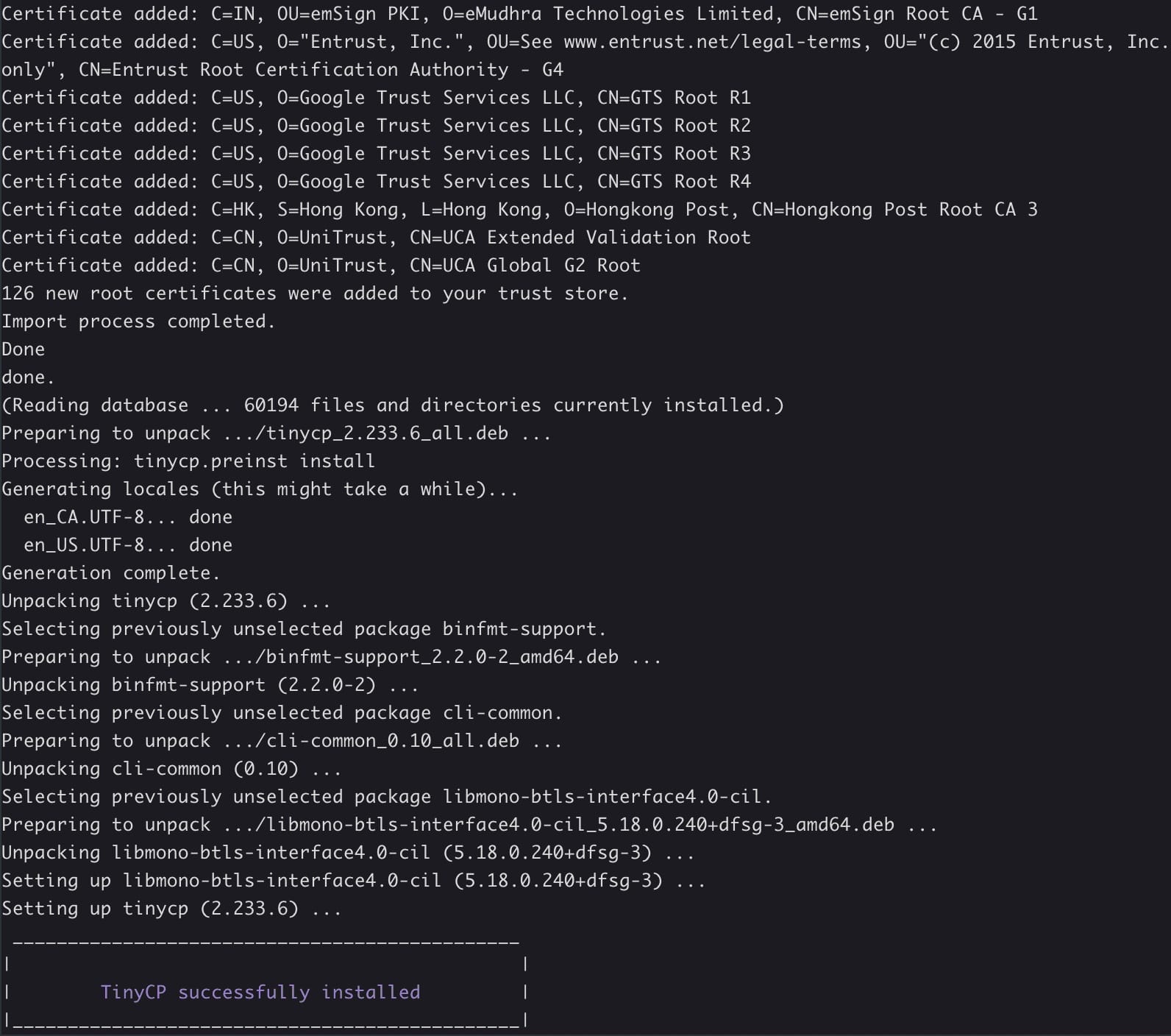 Clean installation process with clear progress indicators and setup wizard
Setting up TinyCP on a fresh Debian 12 (Bookworm) VPS is remarkably straightforward. The project provides an automated installation script that handles all dependencies and configuration automatically.
Prerequisites
- Fresh Debian 12 VPS (minimum 512MB RAM, 1 vCPU)
- Root SSH access to your server
- Domain name pointed to server IP (for SSL certificates)
- 10-15 minutes of installation time
Step-by-Step Installation
-
Update the system:
apt update && apt upgrade -y -
Install required packages:
apt install -y curl wget gnupg2 software-properties-common -
Run the TinyCP installer:
curl -sSL https://tinycp.com/install.sh | bash -
Follow the interactive prompts: The installer will ask for:
- Admin username and password
- Panel hostname (subdomain for panel access)
- Email for Let's Encrypt notifications
- Services to install (Nginx, MySQL, Postfix, etc.)
-
Access the panel: Navigate to
https://your-panel-hostname:8080
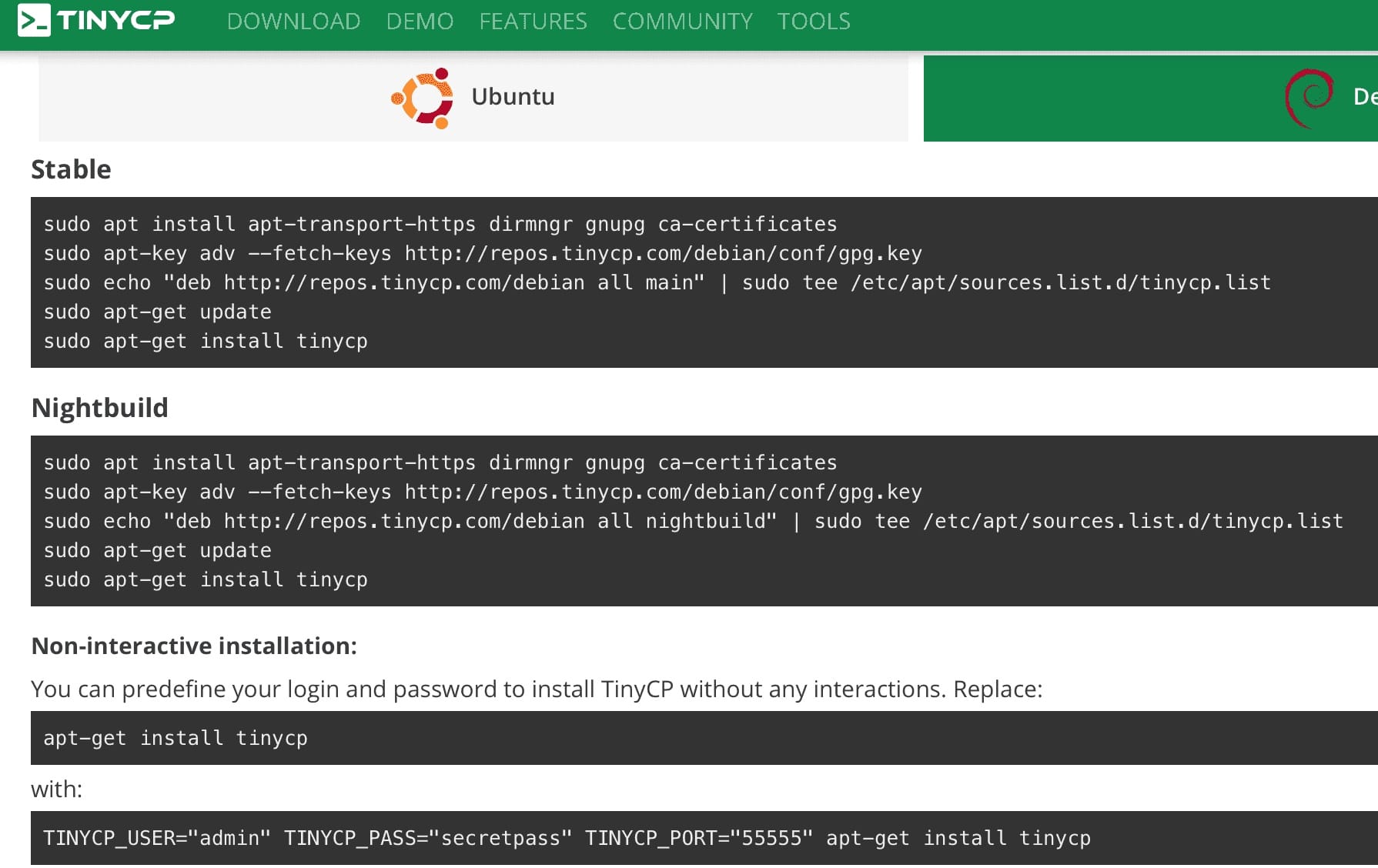 Service selection during installation — choose only what you need for your use case
Post-Installation Configuration
After installation completes, you'll want to configure:
- Firewall rules (UFW/iptables) for secure panel access
- Automatic backups via cron jobs
- Monitoring alerts for system resources
- Your first domain with SSL certificates
Powerful Features in a Small Package
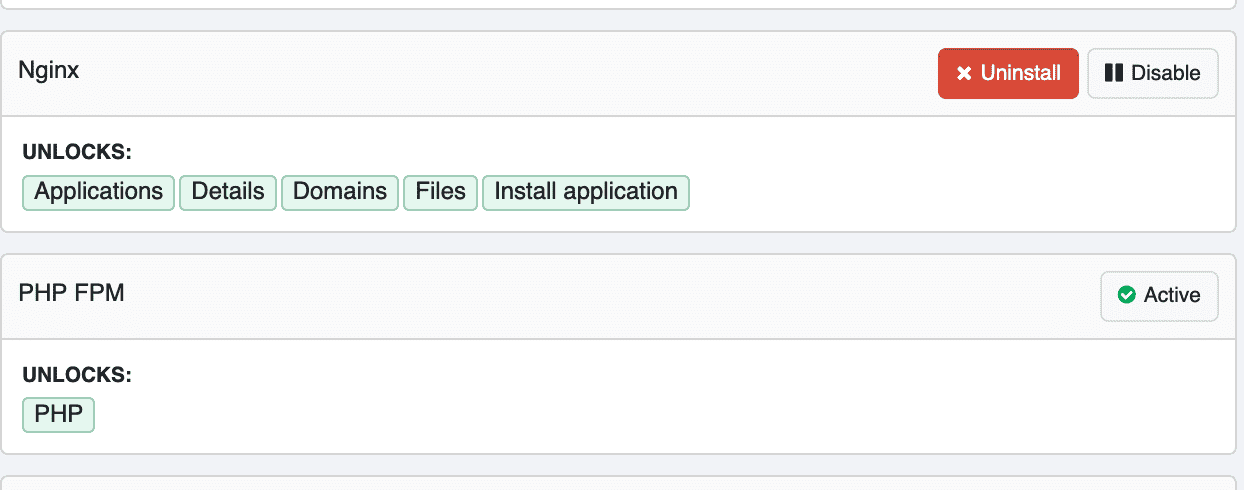 Installing nginx and tinycp
Feature-rich dashboard with all essential management modules accessible
Installing nginx and tinycp
Feature-rich dashboard with all essential management modules accessible
TinyCP packs a robust feature set that covers most server management needs:
| Domain & Website Management | Database Administration |
|---|---|
| - Add/remove domains and subdomains with ease - Automatic virtual host configuration (Nginx/Apache) - Let's Encrypt SSL certificate automation - Redirect and alias management |
- MySQL/MariaDB and PostgreSQL support - Database/user creation with privilege management - phpMyAdmin/phpPgAdmin integration - Backup and restore functionality |
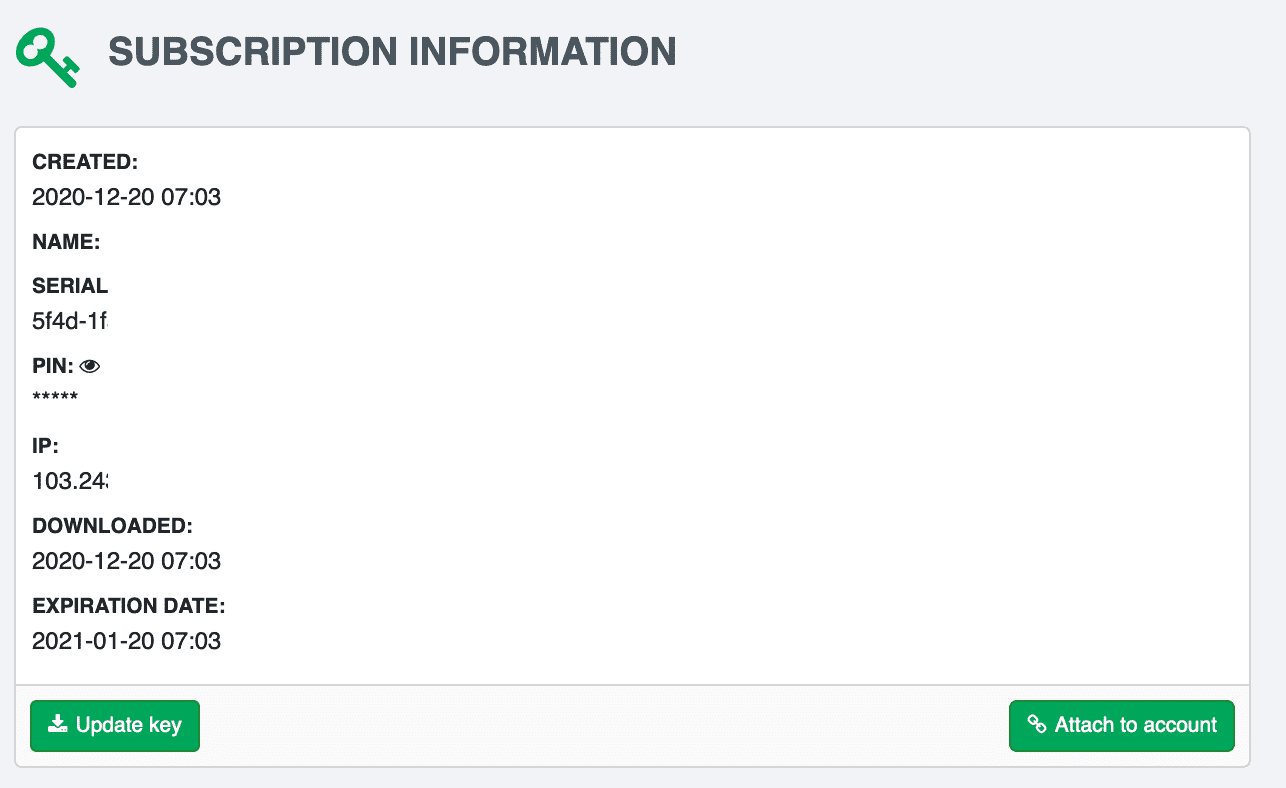 TinyCP - Subscription Information
| Email Server Management | File & Resource Management |
|---|---|
| - Postfix + Dovecot configuration - Email account, alias, and forwarder creation - Spam filtering (SpamAssassin) and antivirus (ClamAV) - DKIM, SPF, and DMARC setup assistance |
- Built-in file manager with code editor - FTP/SFTP account management - Resource monitoring (CPU, RAM, Disk, Network) - Log file viewer and analyzer |
Advanced Configuration: Nginx & PHP Management
 Granular control over Nginx virtual hosts and PHP-FPM pool configurations
TinyCP provides detailed control over your web stack configuration without requiring manual file editing or command-line expertise.
Nginx Configuration Options
- Per-domain virtual host templates and customization
- Custom location blocks and rewrite rules
- Rate limiting and access control settings
- Gzip, caching headers, and compression optimization
- HTTP/2 and HTTP/3 (QUIC) protocol support
PHP-FPM Management Features
- Multiple PHP versions available (7.4, 8.0, 8.1, 8.2, 8.3)
- Per-domain PHP version selection and switching
- Pool configuration (pm.max_children, memory limits)
- PHP extensions toggle (OPcache, Redis, Memcached, etc.)
- Custom php.ini directives per domain or global
Server Installation History & Evolution
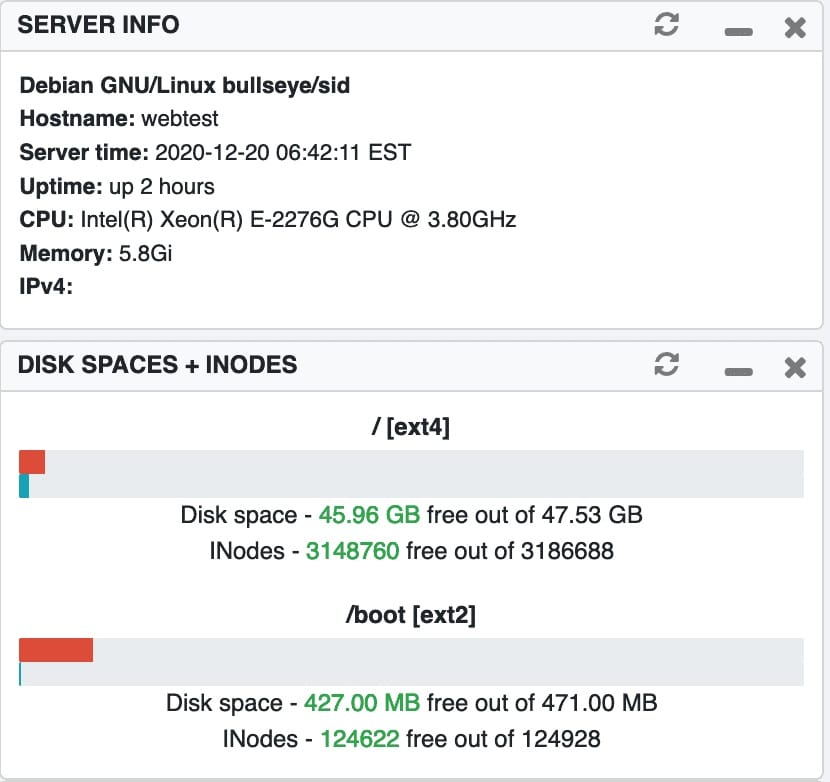 Early TinyCP installation interface (December 2020) — demonstrating UI evolution
TinyCP Subscription Model & Community Support
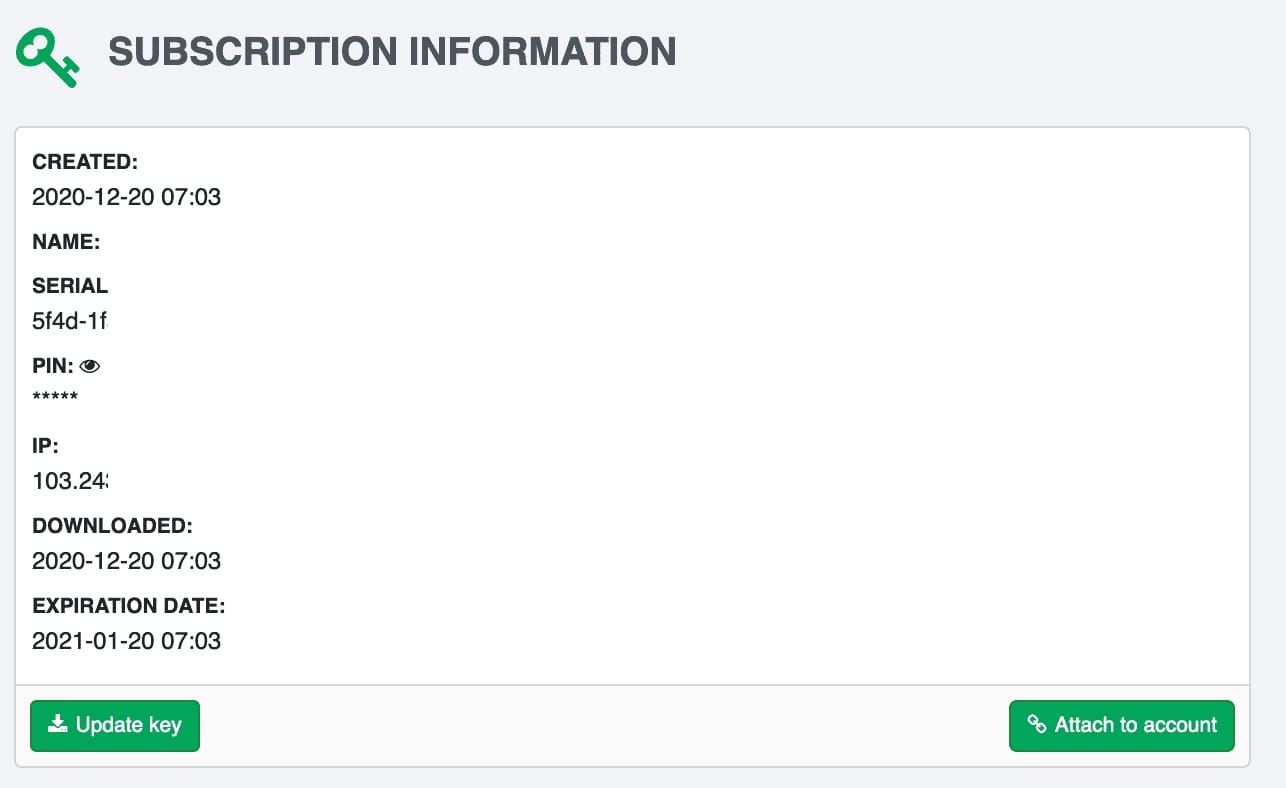 Transparent pricing with free community edition and optional Pro features
TinyCP follows a freemium model that keeps the core functionality completely free while offering enhanced features for professional users and teams:
| Feature | Community (Free) | Pro (Paid) |
|---|---|---|
| Core Panel Features | Full Access | Full Access |
| Domains & Accounts | Unlimited | Unlimited |
| SSL Automation | Let's Encrypt | + Custom Certs |
| Multi-server Cluster | Single Server | Clustering |
| Advanced Monitoring | Basic Dashboard | Detailed Analytics |
| Priority Support | Community Forum | Ticket/Email |
| Custom Branding | Default TinyCP | Remove Branding |
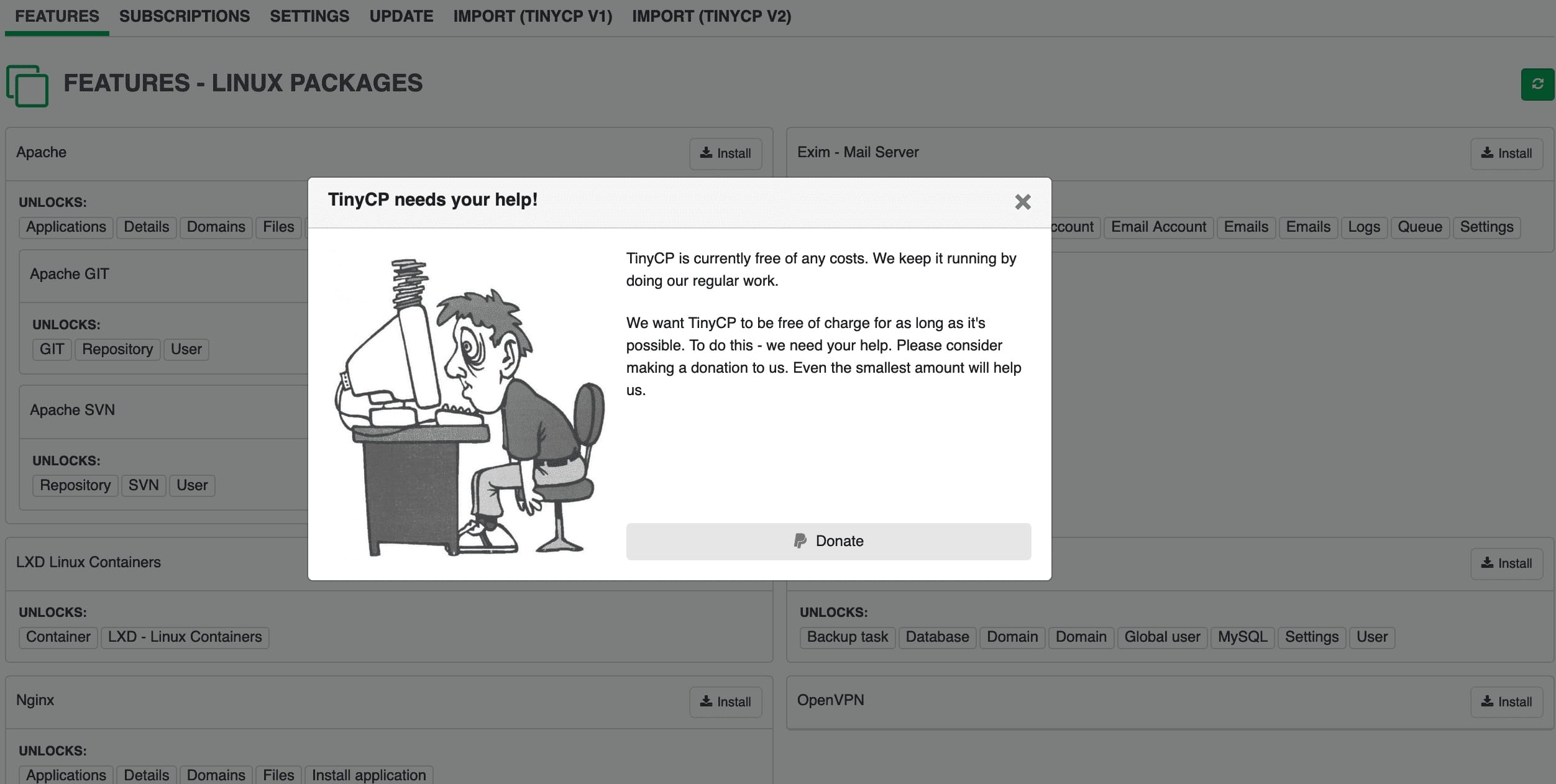 Support the open-source project through voluntary donations
The project maintains transparent funding, with donation information clearly displayed in the panel. Contributors receive recognition and help sustain ongoing development.
Key Takeaways
- Lightweight Champion: TinyCP uses ~30MB RAM idle vs 400MB+ for alternatives
- Full Feature Set: Domains, databases, email, SSL, files, monitoring — all included
- Debian 12 Ready: One-command automated installation on fresh VPS
- Open Source Core: Free community edition with no domain or account limits
- Granular Control: Per-domain Nginx/PHP configuration without requiring CLI knowledge
- Video Walkthrough: Complete feature tour available via embedded video demonstration
- Freemium Model: Transparent pricing with Pro features for teams and multi-server clusters
- Proven Reliability: Minimal resource footprint ensures server stability and performance
Parting Thoughts: TinyCP for Beginners to Experienced Users Alike
Whether you're a beginner or an experienced user, TinyCP proves to be a reliable and efficient solution for managing your server. Its small control panel offers a wide range of features and functionalities, catering to the needs of both individuals and businesses.
The open-source nature of TinyCP allows for continuous updates and improvements, ensuring that you have access to the latest tools and technologies. Whether you're looking to host a website, set up an email server, or manage your DNS records, TinyCP provides a user-friendly interface that simplifies these tasks.
Its low resource usage ensures that your server operates smoothly without compromising performance. So, whether you're just starting your server management journey or have been in the field for years, TinyCP is a powerful tool that can enhance your server administration experience.
In conclusion, TinyCP may seem unassuming with its name, but it packs a powerful punch when it comes to server control. Whether you're a beginner or an experienced user, TinyCP offers a user-friendly interface and a multitude of features to make managing your server a breeze. Give it a try and see for yourself why it's becoming a popular choice among website owners.
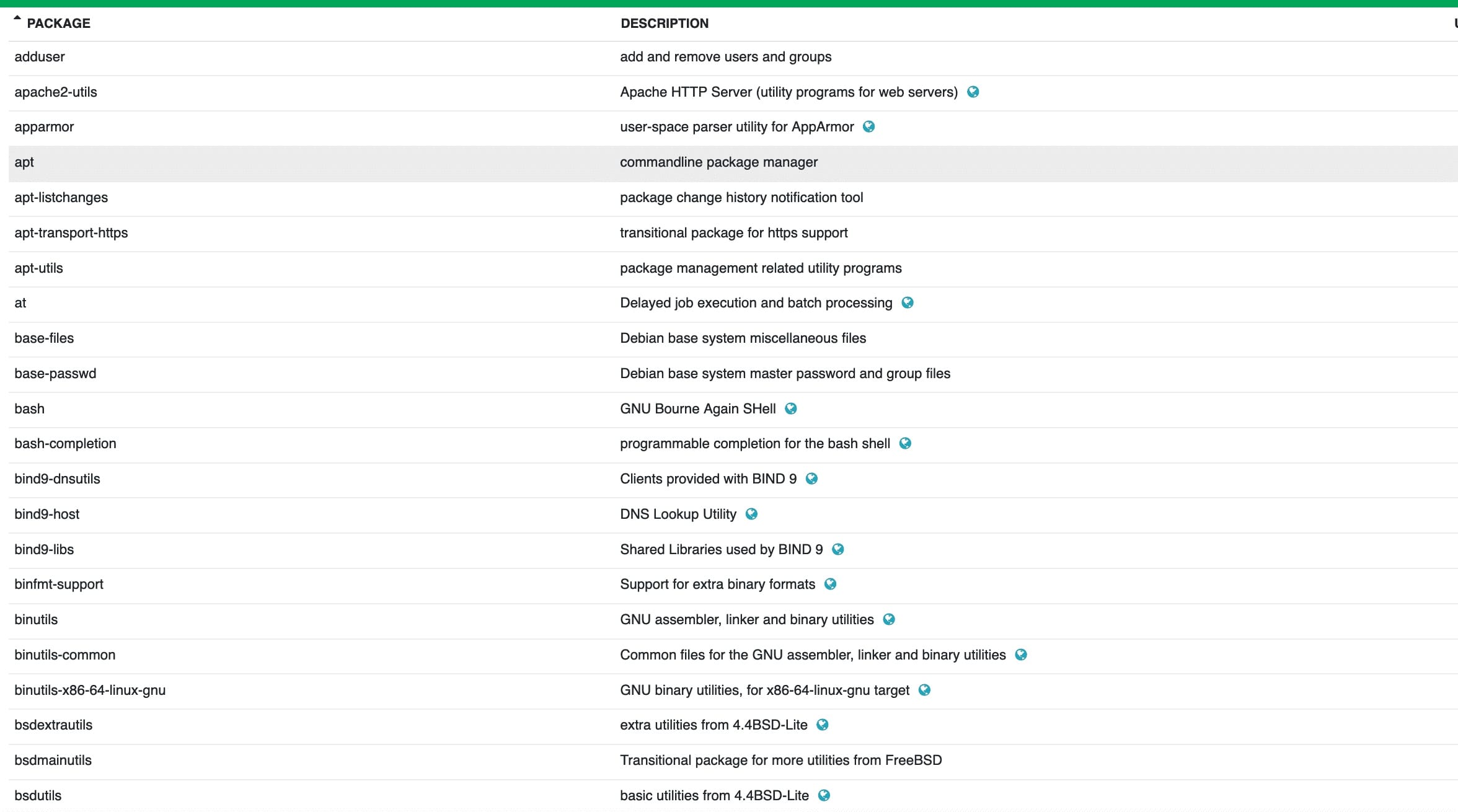 Package selection dialog during TinyCP installation on Debian systems
Frequently Asked Questions
What features does TinyCP server Control Panel offer that make it a powerful tool for server management?
TinyCP server Control Panel offers features such as easy installation, an intuitive user interface, one-click app installation, SSL certificate management, automated updates, resource monitoring, domain management, file management, and user account control. These features make it a powerful tool for server management by providing a user-friendly interface, essential server management functionalities, security features, and overall convenience for users to efficiently manage their servers.
How does TinyCP server Control Panel compare to other server control panels in terms of ease of use and functionality?
TinyCP server Control Panel is known for its simplicity and user-friendly interface, making it easy for users to navigate and manage their server settings. While it may not have as many advanced features as other control panels, its streamlined design and straightforward setup process make it a popular choice for those looking for a basic and efficient control panel solution. Overall, TinyCP strikes a good balance between ease of use and functionality, making it a suitable option for users who prioritize simplicity and efficiency in server management.
Can TinyCP server Control Panel handle large-scale server management tasks effectively?
TinyCP server Control Panel may not be suitable for large-scale server management tasks due to its limitations in handling complex configurations, advanced security features, and scalability. It is more suited for smaller scale or personal server management needs. For enterprises or organizations with extensive server infrastructure and advanced requirements, a more robust and feature-rich control panel solution would be recommended.
What security measures does TinyCP server Control Panel have in place to protect servers from cyber threats?
TinyCP server Control Panel incorporates security measures such as firewall configuration, SSL encryption, password protection, and regular software updates to safeguard servers from cyber threats. Additionally, it includes monitoring tools to detect suspicious activities and ensure server integrity. These measures collectively enhance the security posture and mitigate potential risks of unauthorized access or data breaches.
How does TinyCP server Control Panel support customization and integration with third-party tools and services?
TinyCP server Control Panel supports customization and integration with third-party tools and services through its flexible API, which allows users to develop custom plugins, scripts, and extensions. Additionally, TinyCP's modular architecture enables seamless integration with various third-party applications and services, making it easy to extend the functionality of the control panel as needed. This level of customization and integration ensures that users can tailor their server management experience to meet their specific needs and preferences.
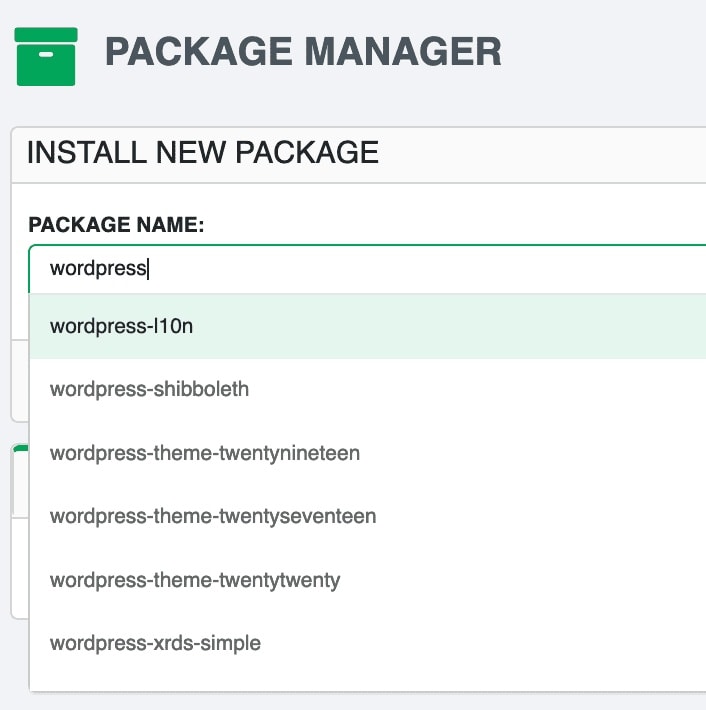 TinyCP - Server Package Information
Altenrative Lightweight Server Panel
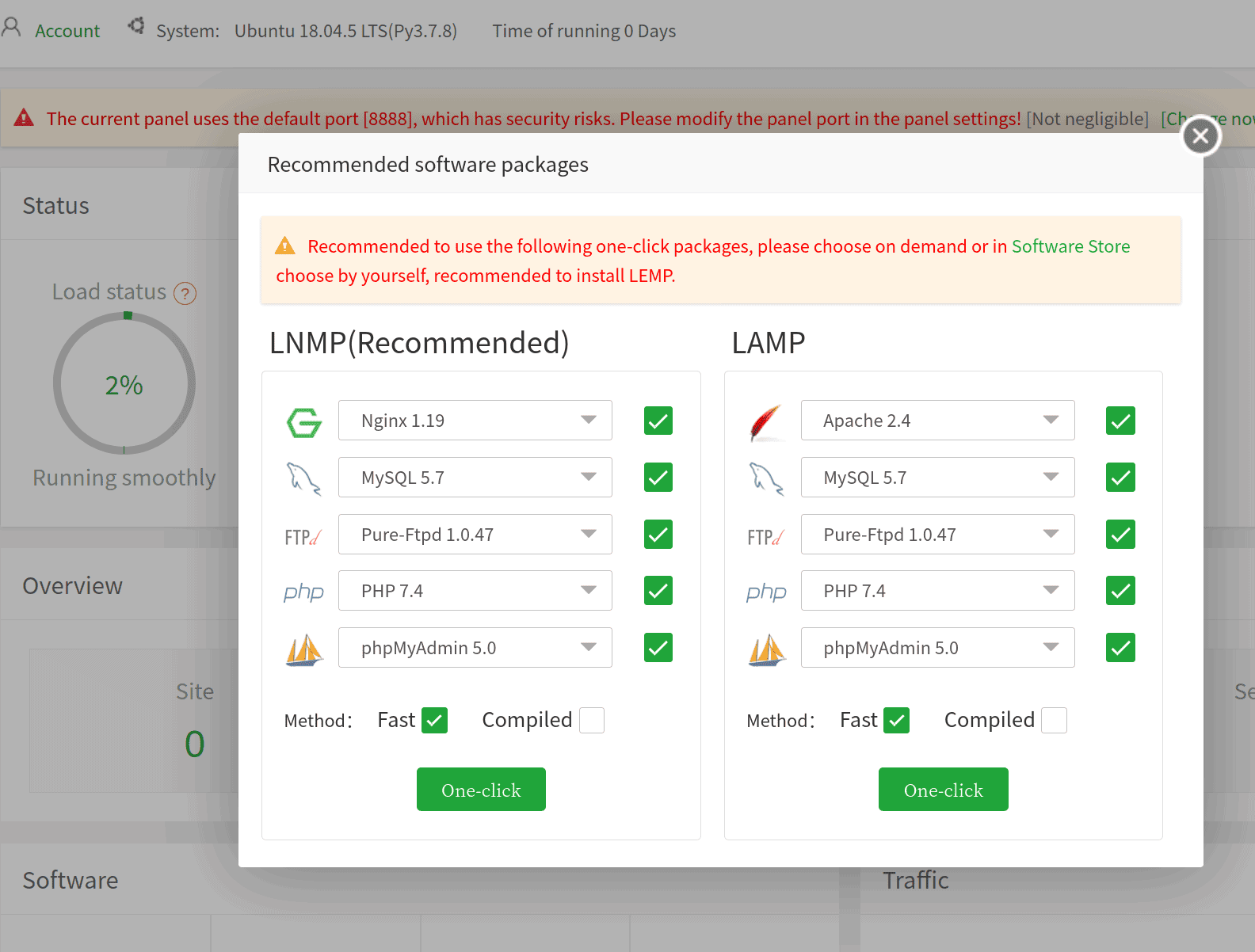 aapanel - Dashboard
Summing it up
Ready to simplify your server management?
Try TinyCP on your next VPS deployment and experience the difference a lightweight, powerful control panel can make. Visit the official TinyCP website to download the installer, browse documentation, and join the community forum.