Open-source server management tools empower users to self-host with minimal cost and maximum control. This updated guide focuses on lightweight, CLI-friendly, and WordPress-optimized solutions—ideal for bloggers, solopreneurs, and small businesses prioritizing scalability and security without the bloat.
Hindi Summary:
खुले स्रोत के सर्वर प्रबंधन पैनल और कमांड-लाइन टूल्स की यह सूची bloggers, solopreneurs, और छोटे व्यवसायों के लिए है। इनमें Debian/Ubuntu के लिए सस्ते, आसान, और सुरक्षित समाधान शामिल हैं।
Server Panels (GUI)
Webmin
Webmin is a web-based interface for system administration on Unix-like systems. It simplifies managing users, groups, disk quotas, and services like Apache, PHP, and MySQL. The latest version (v2.1xx as of 2026) includes improved SSL support and a modular architecture for extensibility.
- Use Case: Ideal for users who prefer a GUI for managing servers without deep CLI knowledge.
- Reference: Official Webmin Wiki
Cockpit
Cockpit provides a web-based graphical interface for servers, making it accessible for both beginners and experienced admins. It uses system APIs and commands, allowing teams to manage systems in their preferred way. Cockpit is container-free and focuses on real-time monitoring and ease of use.
- Use Case: Best for those who want a simple, real-time monitoring tool with a clean interface.
- Reference: Cockpit Project GitHub
aaPanel
aaPanel is a lightweight, open-source server control panel designed for simplicity and efficiency. It supports one-click installation of LEMP stacks (Linux, Nginx, MySQL, PHP) and is optimized for WordPress, making it a popular choice for bloggers and small businesses.
- Use Case: Perfect for users who need a quick, WordPress-optimized server setup.
- Reference: aaPanel Official Site
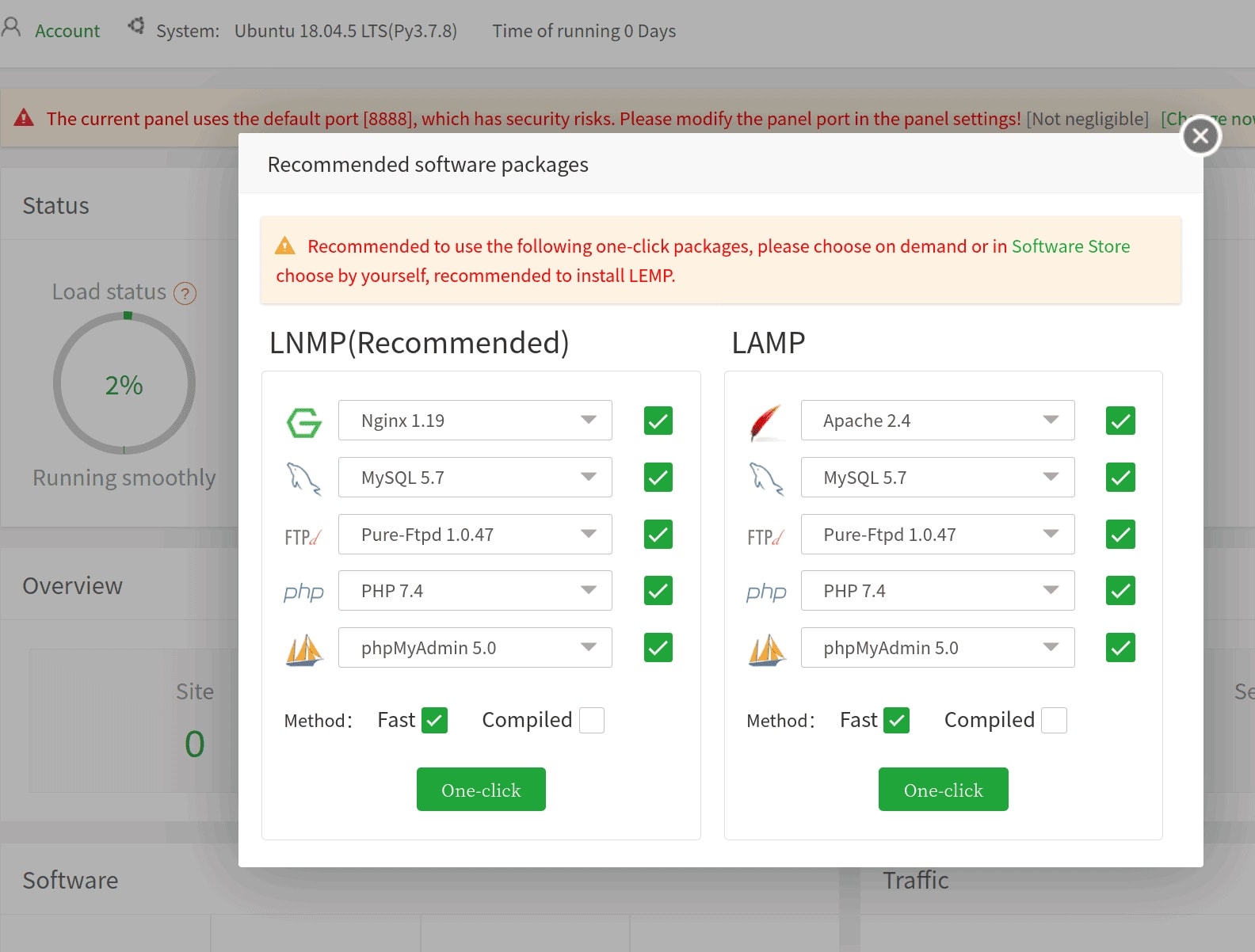 aapanel on linux vps
ApisCP
ApisCP is a modern, open-source hosting control panel designed for performance and security. It supports multi-server management and is optimized for both beginners and advanced users.
- Use Case: Ideal for users who need a robust, security-focused control panel with multi-server support.
- Reference: ApisCP Official Site
HestiaCP
HestiaCP is a fork of VestaCP, offering a lightweight and user-friendly control panel for managing web hosting environments. It supports Nginx, Apache, PHP, and MySQL, making it versatile for various use cases.
- Use Case: Best for users who want a simple, lightweight, and versatile hosting control panel.
- Reference: HestiaCP Official Site
CloudPanel
CloudPanel is a free, open-source control panel that supports PHP 8.4 and Nginx integration. It is designed for high performance and scalability, making it suitable for small businesses and growing projects.
- Use Case: Suitable for users who need a modern, scalable, and high-performance server management tool.
- Reference: CloudPanel Docs
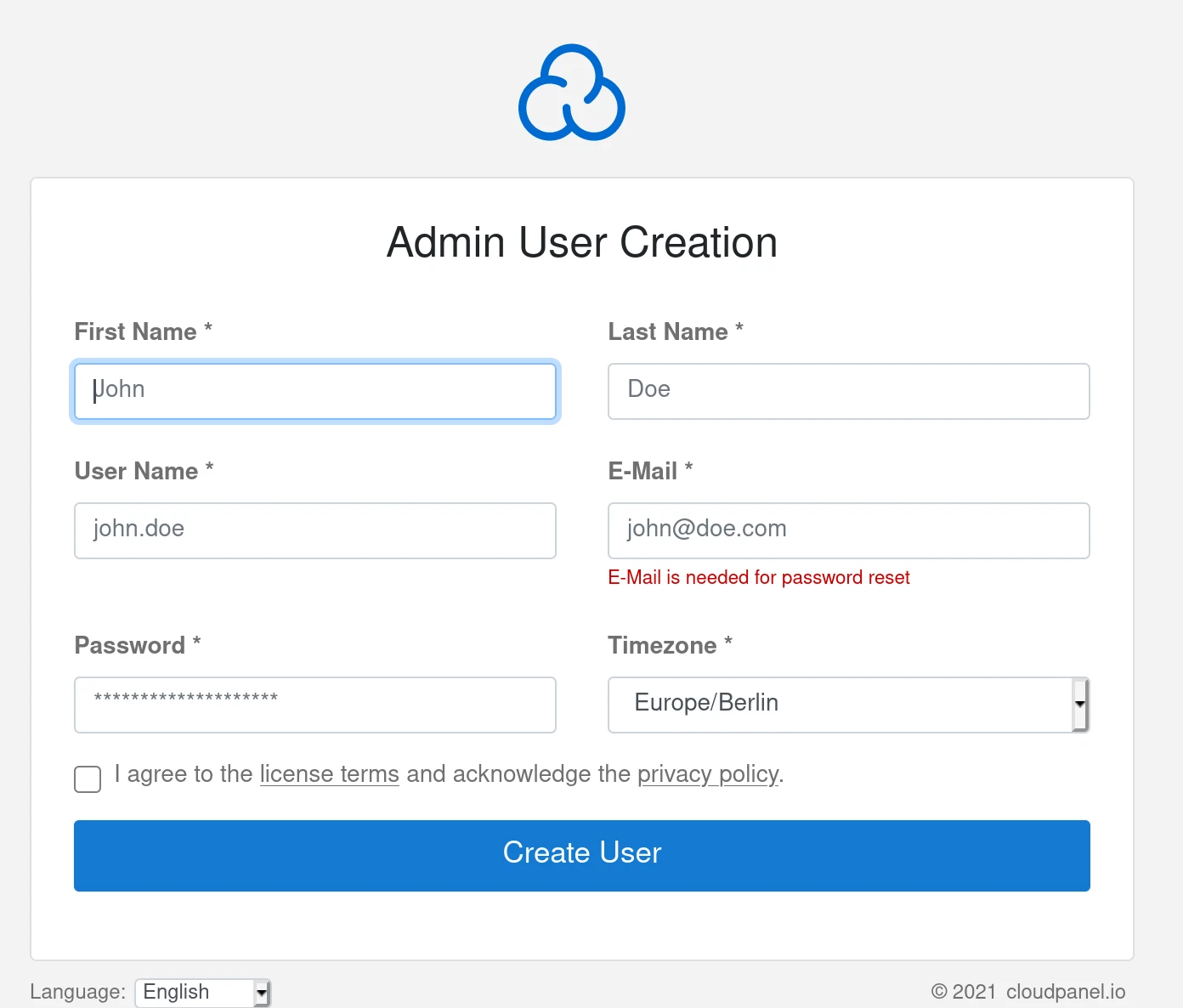 cloudpanel- login menu
Command-Line Tools (Tailored for WordPress/CMS)
Note: The following tools are command-line interfaces designed specifically for managing WordPress and other CMS platforms. They are not full server management panels but are highly useful for WordPress/CMS users.
wp-cli
wp-cli is a command-line interface for WordPress that allows users to manage their WordPress sites efficiently. It supports commands for updating plugins, themes, and core files, as well as managing users, posts, and settings.
- Use Case: Essential for WordPress users who prefer managing their sites via the command line.
- Reference: wp-cli GitHub
Webinoly
Webinoly is a command-line tool optimized for WordPress. It automates the setup of an Nginx + PHP stack, providing a high-performance environment for WordPress sites. It is designed for ease of use and performance optimization.
- Use Case: Ideal for WordPress users who want a high-performance, CLI-based server setup.
- Reference: Webinoly GitHub
WordOps
WordOps is a command-line tool that simplifies the deployment and management of WordPress sites. It includes features like automated backups, security hardening, and performance optimization, making it a robust choice for WordPress users.
- Use Case: Best for users who need automated backups and security hardening for their WordPress sites.
- Reference: WordOps Docs
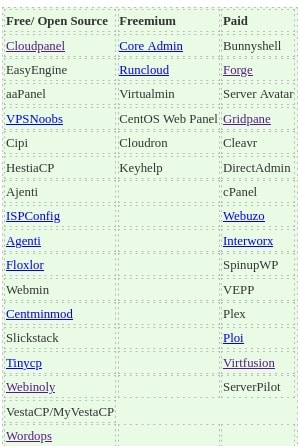 List of open source server panels- march 2022
Conclusion and Takeaways
Open-source server management panels and command-line tools provide cost-effective, flexible, and powerful solutions for managing servers and WordPress/CMS environments. Whether you are a blogger, solopreneur, or small business owner, these tools can help you achieve scalability, security, and ease of use without the high costs associated with proprietary software.
When choosing a tool, consider your specific needs: GUI-based panels like Webmin and Cockpit are great for users who prefer a visual interface, while CLI tools like wp-cli and WordOps are ideal for those who are comfortable with the command line and need WordPress-specific functionalities.