Textpattern CMS is a lightweight and versatile content management system originally developed by Dean Allen in 2003. It offers an intuitive interface and a robust templating architecture suited for web publishers and developers. This tutorial provides a step-by-step approach to building a functional website from a blank slate using native features.
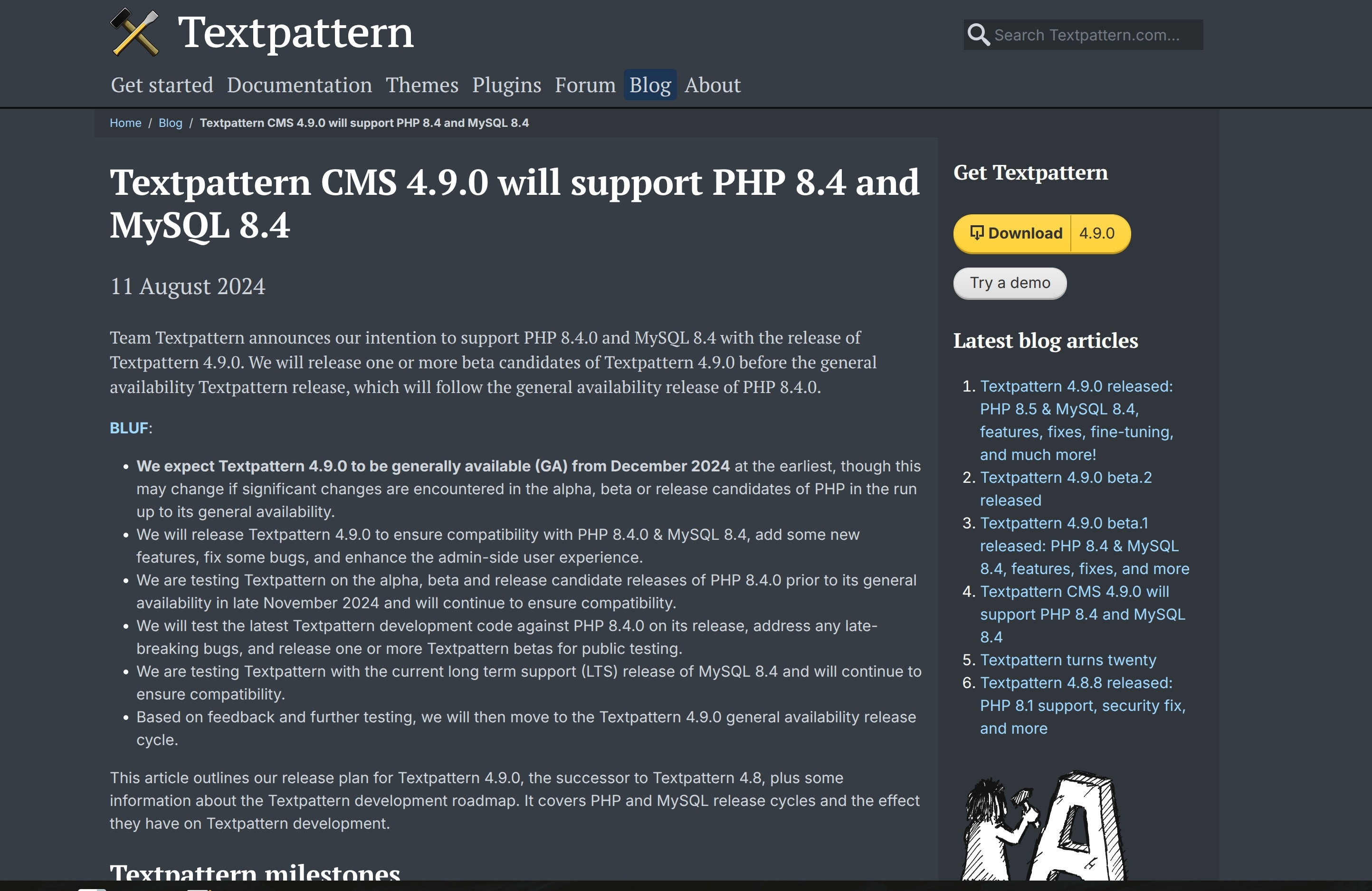
As of February 2026, the current stable release is Textpattern 4.9.1, available in 54 languages. Distributed under the GNU General Public License v2, it is actively maintained by Team Textpattern, with source code available on GitHub and documentation hosted at docs.textpattern.com.
Pre-Requisites
- PHP 7.4 or higher
- MySQL 5.7 or higher (or MariaDB equivalent)
- Apache (with mod_rewrite) or Nginx
- File permissions: Ensure the
/textpatterndirectory and its subdirectories are writable by the web server.
For the latest requirements, refer to the Textpattern GitHub Repository.
Getting Started and Installation
Shared Hosting
- Download the latest version of Textpattern from the official website or GitHub releases.
- Create a database via your hosting control panel (e.g., cPanel, Plesk).
- Upload the Textpattern files to your server using an FTP client (e.g., FileZilla) or the file manager in your hosting control panel.
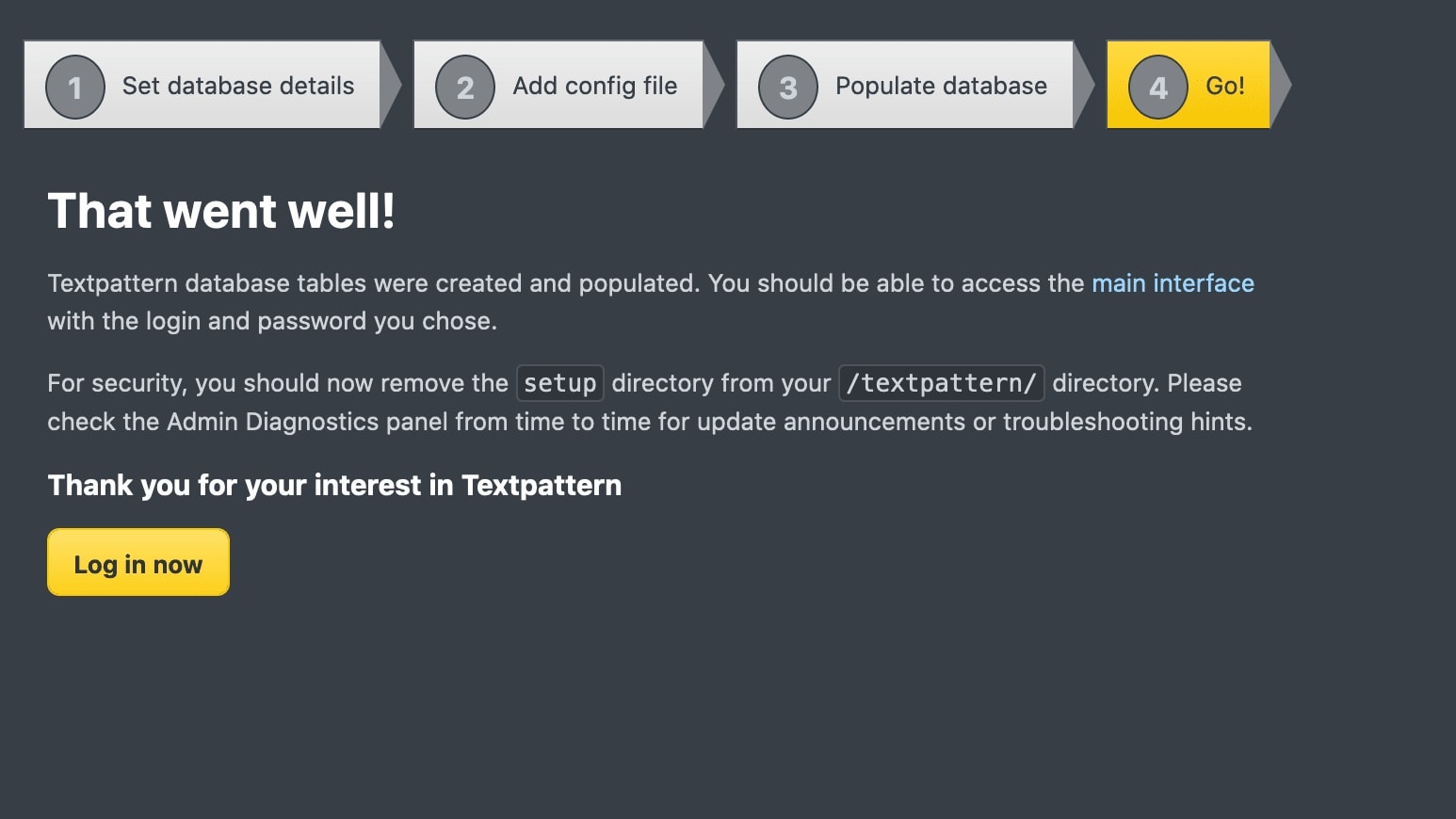
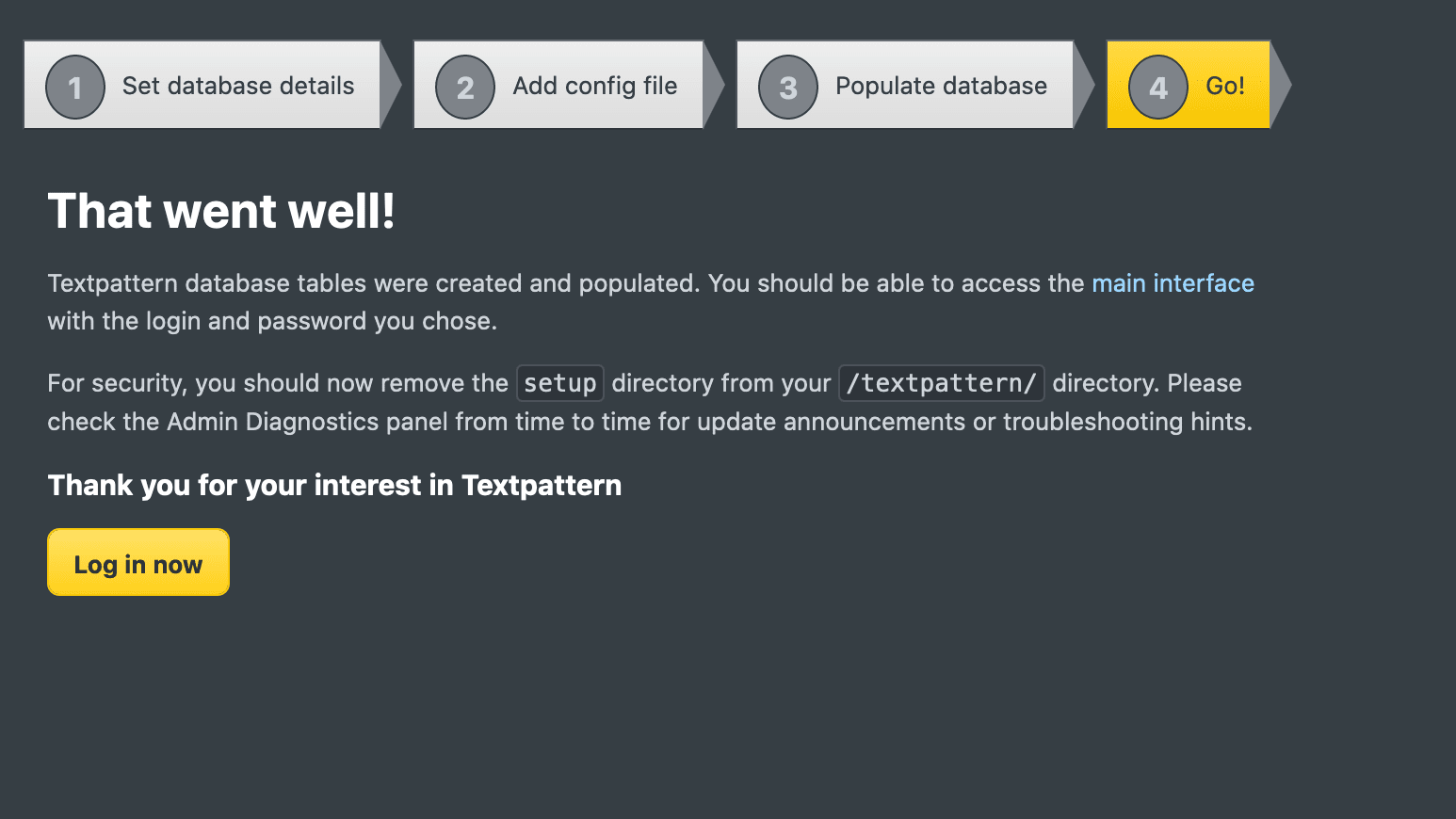
- Run the installer by navigating to your domain in a web browser. Follow the on-screen instructions to complete the setup.
VPS
- SSH into your VPS.
- Install required dependencies:
sudo apt update sudo apt install apache2 mysql-server php php-mysql libapache2-mod-php php-gd php-curl - Clone the Textpattern repository:
git clone https://github.com/textpattern/textpattern.git - Create a database and user for Textpattern:
mysql -u root -p CREATE DATABASE textpattern; CREATE USER 'txp_user'@'localhost' IDENTIFIED BY 'your_password'; GRANT ALL PRIVILEGES ON textpattern.* TO 'txp_user'@'localhost'; FLUSH PRIVILEGES; - Configure Apache to point to the Textpattern directory and enable
mod_rewrite. - Run the installer by navigating to your domain in a web browser.
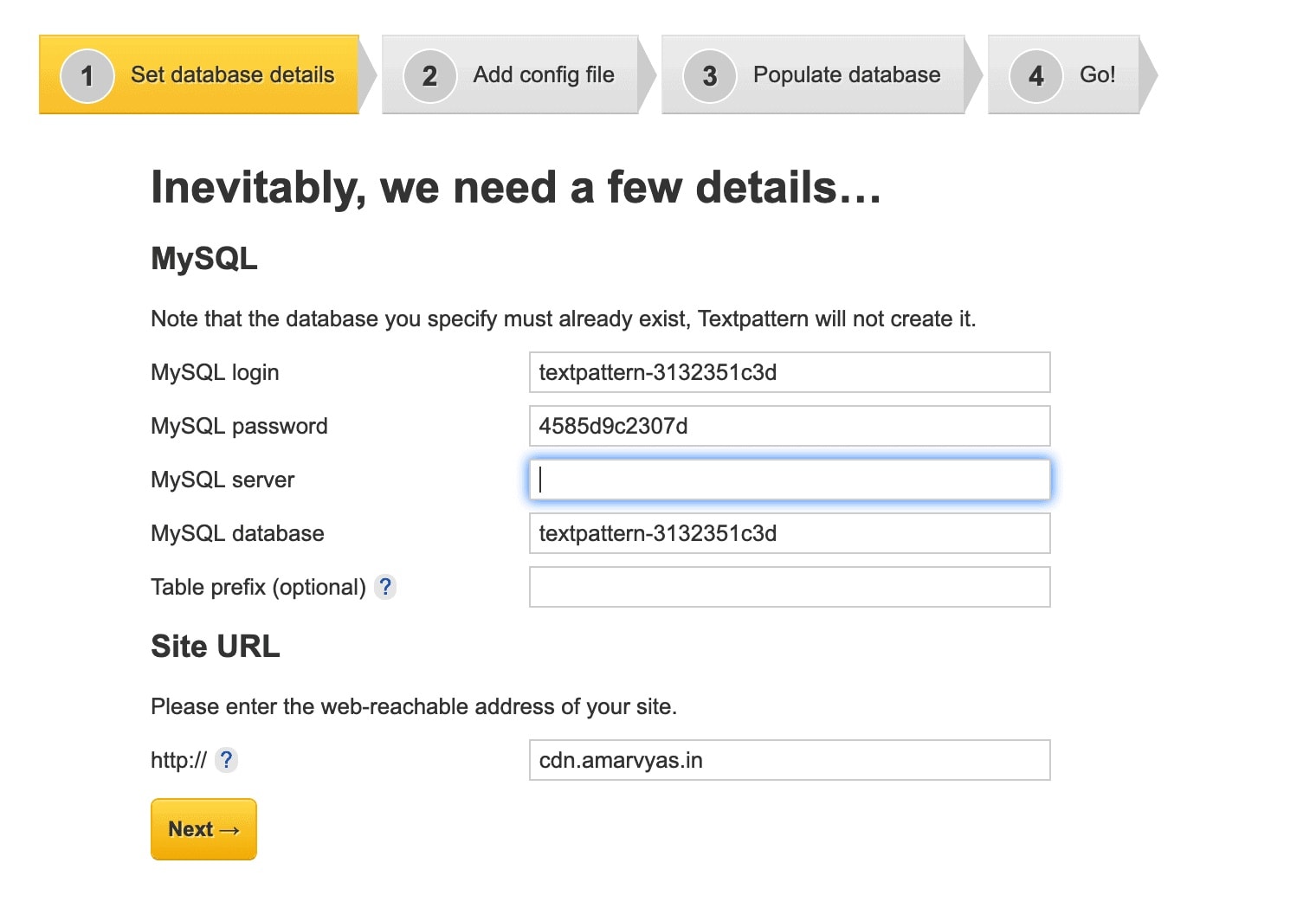
Once installed, log into the Textpattern administration area and check the Diagnostics panel for any pre-flight warnings. Configure your initial site settings in the Preferences panel, where you can define your site name and slogan.
Multisite Setup
Textpattern allows managing multiple websites from one interface. For example, an author’s site could include: - Parent site: Home, Portfolio (with Fiction/Nonfiction subpages), About, Media, Contact. - Subsites: Specialized blogs with custom categories. Use `Creating Your First Post
- Navigate to the Write panel in the Textpattern admin area.
- Fill in the title, body, and select the appropriate section (e.g., Blog).
- Use Textile or Markdown (if the plugin is installed) for formatting.
- Add categories, tags, or custom fields if needed.
- Click Save to publish your post.
Page Templates and Structure
Textpattern handles dynamic content through page templates located in the Pages panel. To test your setup, replace the default template code with simple HTML or dynamic tags.
- Navigate to the Pages panel and select the default template.
- Integrate structural elements, stylesheets, and custom headers.
- Link your stylesheets using standard tags such as
<txp:css format="link" />.
For detailed guidance on default parameters and tags, consult the official Textpattern Documentation. You can also reference the accompanying Textpattern Cheatsheet for quick tag lookups.
Sections and Context
Sections form the core organizational framework of a Textpattern website. Every page belongs to a specific section, which dictates both the URL context and the active page template.

- Create new sections in the Sections panel and assign them specific page templates.
- Use container tags like
<txp:article>to pull dynamic entries into your layout. - Leverage context-sensitive tags to display individual articles, search results, or category listings.
Custom Themes
- Navigate to the Presentation panel and select Styles.
- Edit the default stylesheet or upload a custom CSS file.
- For a completely custom theme, create new page templates and assign them to sections.
- Use the Forms panel to create reusable components like headers, footers, and navigation menus.
Forms and Customization
To keep your templates modular and clean, Textpattern uses reusable form templates found in the Forms panel. Article forms and output forms allow you to separate markup logic from the primary page structure.
- Define specialized article forms for standard views and search results.
- Implement category and search input widgets to enhance user navigation.
- Extend functionality further using community-driven plugins and resources available through the Textpattern Support Forum.
Quick Reference: Textile Syntax for Textpattern
Textile is Textpattern's built-in markup language for formatting content without writing HTML. Below is a quick reference for the most commonly used syntax. For a comprehensive tag reference, see the official Textile documentation.
| Element | Textile Syntax | Rendered Output |
|---|---|---|
| Heading 1 | h1. Heading text |
# Heading text |
| Heading 2 | h2. Heading text |
## Heading text |
| Heading 3 | h3. Heading text |
### Heading text |
| Bold | *bold text* |
bold text |
| Italic | _italic text_ |
italic text |
| Bold + Italic | __strong emphasis__ |
strong emphasis |
| Link | "Link text":https://example.com |
Link text |
| Image | !image-url.jpg! |
Embeds an image |
| Blockquote | bq. Quoted text |
> Quoted text |
| Numbered List | # Item one |
1. Item one |
| Bulleted List | * Item one |
• Item one |
| Code (inline) | @code@ |
code |
| Code (block) | <pre>code block</pre> |
Block of monospace code |
| Strikethrough | -deleted text- |
|
| Superscript | ^superscript^ |
superscript |
| Subscript | ~subscript~ |
→ subscript |
| Definition List | dl. ; Term : Definition |
Term/Definition pair |
| Footnote ref | [1] |
Creates a footnote reference |
Paragraph spacing: Simply leave a blank line between paragraphs. Textile automatically wraps content in <p> tags. Avoid leaving leading whitespace at the start of paragraphs, as Textile interprets that as preformatted text.
Quick tips: Use h1. sparingly — typically only for the main page title. Start body content with h2. or h3. for better document structure. Image links can be combined with link syntax: "!image.jpg!":https://example.com creates a clickable image.
For the complete and current tag reference, refer to the Textpattern user documentation and the Textpattern tips collection for community-contributed code snippets and tag combinations.
Textpattern CMS FAQ
Minimum Requirements (2026)
Textpattern CMS 4.9.x (the current stable series as of 2026) runs on a standard LAMP/LEMP stack.If you're setting up a new installation in 2026, target PHP 8.4+ and MySQL 8.0+ at a minimum — ideally PHP 8.4 or 8.5 with MySQL 8.4 as the official recommendation.
Click to learn more
| Component | Recommended (2026) | Minimum |
|---|---|---|
| PHP | 8.2+ | 7.4+ |
| MySQL/MariaDB | 10.6+ / MariaDB 10.11+ | MySQL 5.7.8+ / MariaDB 10.2+ |
| Web Server | Apache 2.4+ / Nginx | Apache 2.2+ |
| Extensions | mbstring, gd, pdo_mysql |
Same as recommended |
| Disk Space | 100 MB+ | 50 MB |
Note: Running outdated versions (e.g., PHP 7.4) may expose you to security risks. Always use the latest stable versions.
Can I use HTML or Markdown instead of Textile?
Short answer: Yes.
- HTML: Textpattern natively supports raw HTML in articles, pages, and forms. You can disable Textile for specific fields or globally via Preferences > Advanced.
- Markdown: Not natively supported, but you can:
- Use a plugin like rvm_markdown (requires PHP 8.0+).
- Convert Markdown to HTML externally (e.g., using Parsedown) and paste the HTML into Textpattern.
- Use a custom field with a Markdown-to-HTML converter.
Tip: If you prefer Markdown, test plugins in a staging environment first.
Security Settings & Best Practices
Click to expand
-
Keep Textpattern Updated
- Always run the latest stable version of Textpattern (check textpattern.com).
- Update PHP, MySQL, and server software promptly.
-
Secure the Admin Area
- Rename the
/textpatterndirectory (e.g.,/admin-abc123) viaconfig.php:define('txp_admin_path', '/admin-abc123'); - Use HTTPS (SSL/TLS) for the entire site, especially the admin panel.
- Restrict admin access by IP (via
.htaccessor server config).
- Rename the
-
Database Security
- Use a strong, unique database prefix (not
txp_). - Regularly back up your database (use tools like
mysqldumpor phpMyAdmin). - Limit database user permissions to only what Textpattern needs (e.g., no
GRANT ALL).
- Use a strong, unique database prefix (not
-
File Permissions
- Set directory permissions to 755 and file permissions to 644.
- Disable PHP execution in upload directories (add to
.htaccess):<Files *.php> Deny from all </Files>
-
Plugins & Themes
- Only install plugins/themes from trusted sources (e.g., Textpattern Resources).
- Remove unused plugins/themes to reduce attack surfaces.
-
User Management
- Assign the minimum required privileges to user accounts (e.g., "Author" instead of "Admin" for contributors).
- Use strong passwords and enable two-factor authentication (2FA) if available.
-
Additional Measures
- Disable file uploads for untrusted users.
- Use a Web Application Firewall (WAF) like Cloudflare or ModSecurity.
- Monitor logs for suspicious activity (e.g., repeated login attempts).
Keeping Textpattern Updated
Regular upgrades are critical for security. Follow the upgrade documentation for step-by-step instructions.
While Textpattern excels for small to medium websites, it may lack advanced features for large-scale deployments. The learning curve is steeper than some alternatives, but the support forum and Mastodon/X community are active and helpful.
Textile vs. Markdown
Textile is built into Textpattern and uses simple syntax (e.g., _italic_ or *bold*). Markdown can be enabled via plugins (e.g., textile_to_markdown). Markdown uses **bold** or *italic* and is widely preferred for its familiarity.
Links and Useful Resources
- Textpattern Official Website
- Textpattern GitHub Repository
- Textpattern Plugins
- Textpattern Themes
- Textpattern Community Forum