In this post, we will look into the evolution of open source office software, from its humble beginnings in the 1990s to the robust, feature-rich suites available today. We’ll explore the major players, web-based solutions, lesser-known tools, and mobile apps that have shaped the open-source office software landscape. This post was updated in June 2026.
Introduction
Between the early 1990s and 2021, the open source office software landscape underwent a transformative journey. Notable suites like OpenOffice.org, LibreOffice, and Calligra Suite provided a range of applications for word processing, spreadsheets, presentations, and more. The emergence of web-based platforms like Collabora Online and CryptPad introduced new dimensions of collaboration and privacy.
हिंदी में सारांश
2000 से 2021 तक ओपन-सोर्स ऑफिस सॉफ़्टवेयर परिदृश्य ने एक परिवर्तनकारी यात्रा की। OpenOffice.org, LibreOffice, और Calligra Suite जैसे प्रमुख स्वायत्त सूट ने शब्द प्रसंस्करण, स्प्रेडशीट, प्रस्तुतिकरण, और अन्य के लिए अनुप्रयोग प्रदान किए। Collabora Online और CryptPad जैसे वेब-आधारित मंच ने सहयोग और गोपनीयता के नए पहलु पेश किए। Ted और Siag Office जैसे कम जाने जाने वाले उपकरण विशिष्ट उपयोगकर्ता की आवश्यकताओं को पूरा किया।
साथ ही, Collabora Office और ONLYOFFICE Documents जैसे मोबाइल ऐप्स ने एंड्रॉयड और iOS डिवाइसों पर ऑफिस क्षमताओं को पेश किया। 2000 से पहले का समय StarOffice और LyX की उत्पत्ति का दौर था, जबकि SoftMaker Office जैसे स्वायत्त विकल्प सहयोजित रहते थे। यह परिवर्तन खुले स्रोत समुदाय की नवाचार और पहुँच में सहायकता की प्रतिबद्धता को प्रकट करता है, जो हमारे ऑफिस कार्यों के प्रति नए दृष्टिकोण को आकार देता है।
My Personal Journey with Open-Source Office Software
As an avid user and advocate of open-source software, I’ve had my own journey with open-source office suites. It all started back in 2000 when I first tinkered with StarOffice during my graduate studies at the University of Illinois at Urbana-Champaign. Over the years, I’ve witnessed the evolution of these tools and their impact on the open-source community. From those early days with Abiword and Siag Office to the arrival of OpenOffice.org and the eventual switch to LibreOffice, I’ve seen it all. Each suite had its strengths and weaknesses, and my needs evolved along the way. Let me share some highlights of this journey:
Early Days
I started with Abiword in the late 90s, appreciating its simplicity. Later, Siag Office became my go-to for terminal-based tasks, especially its spreadsheet program.
The 2000s and Beyond
StarOffice was a pioneer of office suites for Linux. The arrival of OpenOffice.org was a game-changer, but resource usage could be heavy on older machines. The fork to LibreOffice brought noticeable performance improvements and broader community support. Calligra Suite’s integration with KDE felt natural, and its Krita image editor was a definite plus. While ONLYOFFICE’s online collaboration was impressive, the interface took some getting used to.
Lesser-known tools like Ted and Siag Office served specific user needs. We’ll also touch upon office suites before 2000 and proprietary office suites for Linux. Finally, we’ll look at some proprietary office suites, mobile apps, and the evolution of tools like Notion, Airtable, Zoho, and Nimbus Notes, which serve as substitutes for full-fledged office suites for some. Additionally, mobile apps like Collabora Office and Onlyoffice Documents brought office capabilities to Android and iOS devices. The pre-2000 era saw the birth of StarOffice and LyX, while proprietary options like SoftMaker Office coexisted. This evolution demonstrates the commitment to innovation and accessibility within the open-source community, shaping the way we approach office tasks.
Web and Mobile
Collabora Online’s cloud integration was smooth, and having a mobile version (Collabora Office) was a lifesaver on the go. CryptPad’s focus on privacy resonated with me, especially when dealing with sensitive documents. This presented a good option for open source office software for linux and other platforms.
Exploring LibreOffice Online
In 2022, I decided to test LibreOffice’s web-based version, which was in its early stages of development. I used my “Kitchen Sink” desktop test machine with 24 GB of RAM and a fast network connection. Despite this, the download and loading of the application were slow, as mentioned in a post on Makeuseof. I encountered an error while trying to use advanced features or exporting documents to PDF.
Around the same time, I signed up for Rollapp, a service offering web-based SaaS versions of open-source tools. They provided a web-based LibreOffice Writer, although it was an older version (4.1). With so many established web-based office applications already on the market, I questioned whether an online version of LibreOffice was a case of “too little, too late.”
The Early Days of Open Source Office Suites (Pre-2000)
This section delves into the history of office suites before 2000, including LyX, XEmacs, Emacs, Siag Office, SC, and Andrew. These early tools laid the foundation for the development of modern open-source office suites. During this period, office suite options on Linux were limited. One popular choice was StarOffice, developed by Sun Microsystems (now owned by Oracle), which included a word processor, spreadsheet program, presentation software, and drawing tool. However, it was proprietary and required a license fee.
Office Suites for Linux
Noteworthy Open Source Office Suites from the 1990s
-
Gnome Office (1997-2012)
Gnome Office was an office suite for the GNOME desktop environment that bundled various standalone applications, such as AbiWord (word processing), Gnumeric (spreadsheets), and Dia (diagram creation). While it was not as tightly integrated as other office suites, Gnome Office provided a collection of lightweight tools for the GNOME desktop. The individual components, like AbiWord and Gnumeric, continue to be maintained and updated independently. Abiword and Gnumeric can be tested via Rollapp.

gnumeric, part of GNOME office suite. Image: Grok (X) -
Ted (1990s-?)
Ted was a lightweight, open-source word processor for the X Window System on Unix/Linux systems. It supports the Rich Text Format (RTF) and focuses on simplicity and ease of use. While it has limited features compared to full-fledged office suites, Ted is suitable for basic word processing tasks.
-
AbiWord (1998-present)
AbiWord offered compatibility with various document formats. It is lightweight and easy to use, offering compatibility with various document formats, including Microsoft Word, OpenDocument, and HTML. AbiWord is often compared to Microsoft Word for its similar interface and features, although it is more limited in functionality. Note: As of late 2023, the development work on Abiword might still continue, but no new releases have been made for nearly 2 years.
<w (1982-2000s), which stands for Andrew User Interface System (AUIS) was an early integrated office suite developed at Carnegie Mellon University, which included a word processor, email client, terminal emulator, and more. -
Siag Office (1994-?)
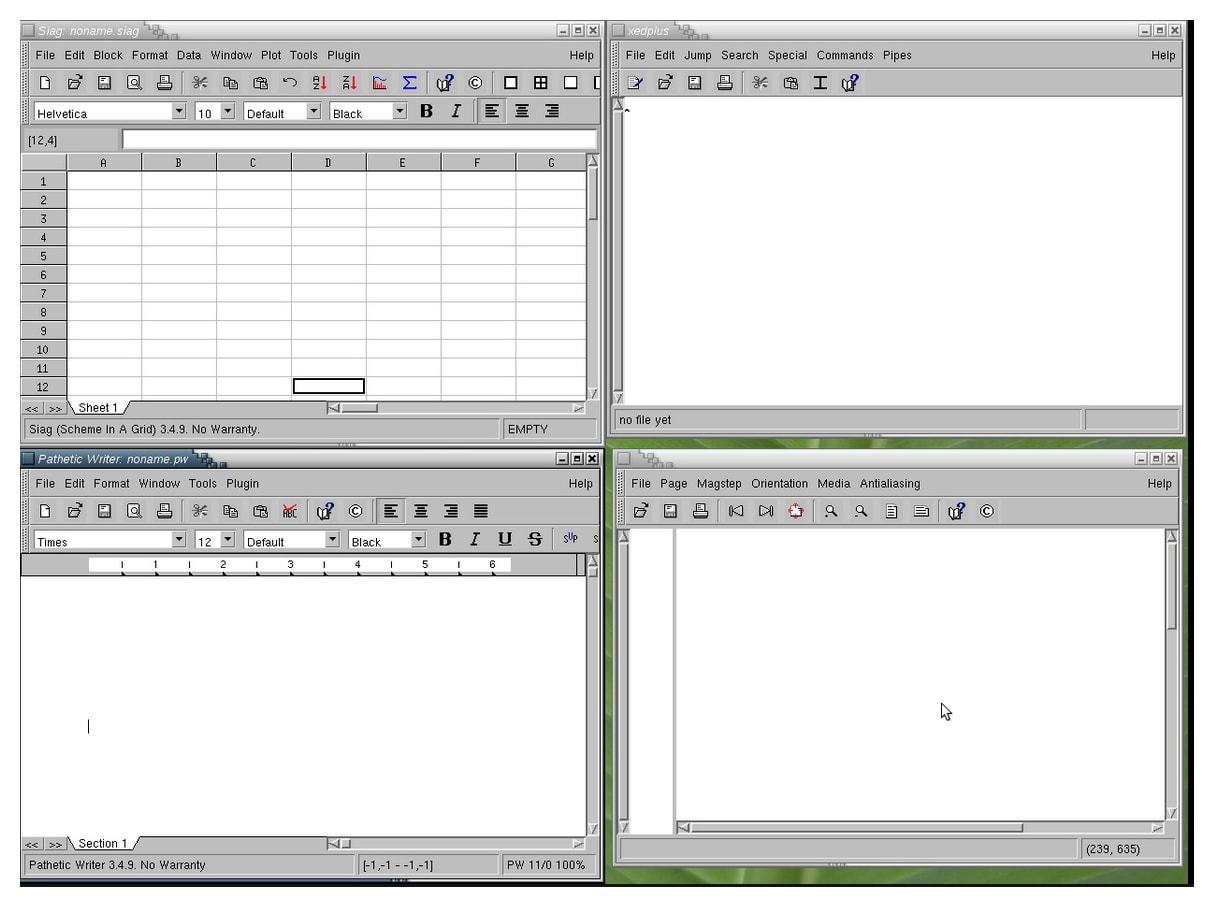
Siag (Scheme In a Grid) Office is a lightweight, open-source office suite for Unix and Linux systems. It includes a word processor (Pathetic Writer), a spreadsheet application (Siag), and a presentation tool (Egon Animator). Siag (Scheme in a Grid) is a terminal-based spreadsheet that supports basic spreadsheet functions and can read various file formats. It is known for its minimal resource usage and extensibility through the Scheme programming language.
SC (1982-?)
SC was a terminal-based spreadsheet program offering basic functionality. It is one of the oldest spreadsheet programs and has a simple, text-based interface. SC supports basic spreadsheet functions, such as cell referencing, calculations, and sorting. Although it lacks the advanced features of modern spreadsheet software, SC remains a lightweight and efficient choice for users who prefer a terminal-based interface.
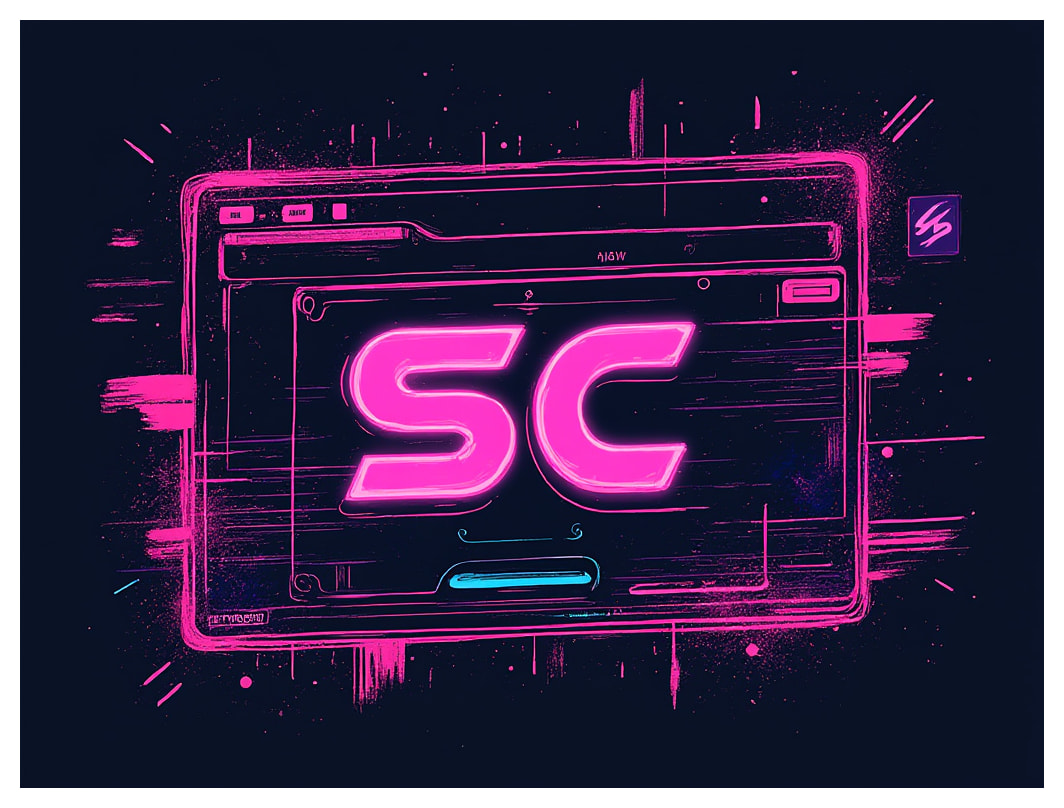
SC Spreadsheet. AI generated image -
These lesser-known tools cater to specific user needs or preferences, offering simplicity, resource efficiency, and terminal-based interfaces for those who prefer working in non-graphical environments.
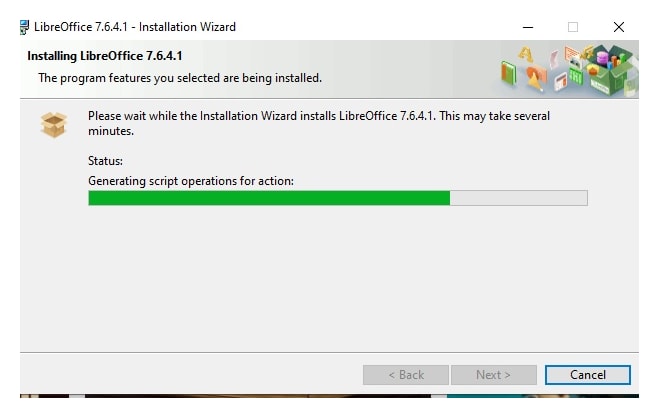
History, current state, and future of open source office software
Learn about LibreOffice and Calligra Suite.
This section covers popular open-source office suites including OpenOffice.org, LibreOffice, Apache OpenOffice, Calligra Suite, ONLYOFFICE, and WPS Office, providing comprehensive solutions for word processing, spreadsheets, presentations, and more.
The year 2000 marked a turning point in the open-source office suite landscape. Established players like OpenOffice.org gained traction, and new contenders like ONLYOFFICE and WPS Office (with its open-source version for Linux) emerged. This era was defined by a drive to achieve feature parity with proprietary suites while offering users a free and flexible alternative.
OpenOffice.org (2000-2011)
OpenOffice.org was a pioneering open-source office suite that revolutionized the way people worked with documents, spreadsheets, and presentations. Launched in 2000, it quickly gained popularity and became a staple in many offices. I recall using OpenOffice.org during this time and being impressed by its ease of use and (partial) compatibility with Microsoft Office files.
LibreOffice (2010-present)
As a user, I am drawn to its flexibility and customizability, which allowed me to tailor my workflow to suit my needs. I remember posting on Facebook about LibreOffice, saying “I’m loving the new features in LibreOffice! The improved compatibility with Microsoft Office files has been a game-changer for me.”
Apache OpenOffice (2012-present)
Apache OpenOffice, launched in 2012, has its roots in the original StarOffice project. As an open-source community, it has continued to evolve and improve, offering a robust alternative to proprietary office suites. Although I haven’t personally used Apache OpenOffice recently, I appreciate its commitment to open-source principles and its role in preserving the legacy of the StarOffice project.
Calligra Suite (2012-present)
Calligra Suite, launched in 2012, is a versatile office suite that offers a range of applications, including Krita, a powerful painting and image editing tool. I’ve had the pleasure of using Krita and was impressed by its feature-rich interface and seamless integration with other Calligra applications. The suite’s focus on creativity and design has made it a favorite among artists and designers.

ONLYOFFICE (2014-present)
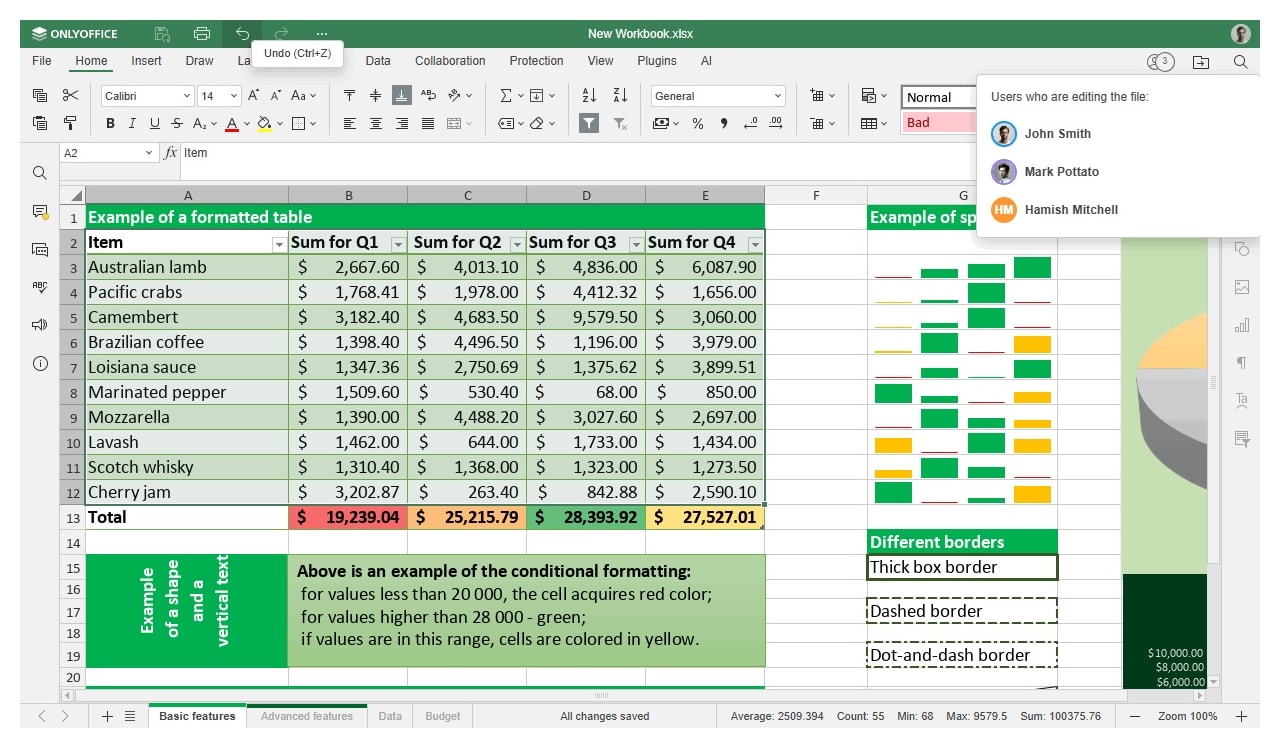
ONLYOFFICE, launched in 2014, offers real-time co-editing and commenting capabilities. As a user, I’ve appreciated its intuitive interface and the ability to work with others in real-time. ONLYOFFICE’s commitment to collaboration has made it an essential tool for teams and individuals who need to work together. Consider reading our full Review of ONLYOFFICE for a deeper dive.
WPS Office (2016-present, open-source version)
WPS Office, available as an open-source version for Linux, has gained popularity for its compatibility features and ease of use. As a Linux user, I’ve been impressed by WPS Office’s ability to open and edit Microsoft Office files with ease. Its availability as an open-source version has made it an attractive option for those looking for a free and customizable alternative.
Hancom Office (previously ThinkFree Office)
This South Korean office suite is available for Linux and is known for its compatibility with Microsoft Office formats. It includes Hancom Word (word processing), Hancom Cell (spreadsheets), and Hancom Show (presentation software). Hancom Office has a history of being marketed under different names, such as ThinkFree Office, which offered a Linux version as well.
Corel WordPerfect Office (Discontinued)
Corel, a Canadian software company known for its office suite, Corel WordPerfect Office, released a Linux version called “Corel WordPerfect Office for Linux” in the late 1990s. This Linux version included key applications like WordPerfect (word processor), Quattro Pro (spreadsheet), and Corel Presentations (presentation software). Corel’s decision to bring its office suite to the Linux platform was considered a significant step in promoting the adoption of Linux for mainstream users. However, the Linux version of Corel WordPerfect Office was short-lived, as it was discontinued in the early 2000s due to insufficient market demand and the increasing popularity of other open-source office suites like OpenOffice.org.
I would also like to make a passing mention of GoBe Productive office suite. I had briefly used it in early 2000s.

The Rise of Web-Based and Mobile Solutions
As someone who values flexibility and accessibility, I was excited about the rise of cloud computing and the potential of web-based office suites. I started looking for online alternatives because I needed a solution that could keep up with my busy schedule and allow me to work from anywhere. This shift promised greater flexibility and accessibility, and open-source developers were quick to embrace this new frontier.
Dive Deeper: Want to explore the cloud landscape in detail? Read our comprehensive guide to the Best Alternatives to Online Office Suites to see how tools like Zoho, ONLYOFFICE, CryptPad, and Proton stack up against Google Workspace and Microsoft 365.
Timeline: The Evolution of Open Source Office Software
To understand how far we’ve come, here is a quick look at the launch timelines of major open-source and Linux-compatible office tools, divided by the turn of the millennium.
Pre-2000: The Early Pioneers
| Year | Software Name | Primary Type |
|---|---|---|
| 1976 | Emacs | Text Editor / Extensible Environment |
| 1982 | SC / Andrew | Terminal Spreadsheet / Early GUI |
| 1994 | Siag Office | Lightweight UNIX Suite |
| 1995 | LyX | LaTeX Document Processor |
| 1997 | Gnome Office | Standalone Desktop Apps (Gnumeric, etc.) |
| 1998 | AbiWord | Lightweight Word Processor |
Post-2000: The Modern Era & Cloud Shift
| Year | Software Name | Primary Type |
|---|---|---|
| 2000 | OpenOffice.org | Full Desktop Suite |
| 2008 | Etherpad | Web-based Collaborative Text Editor |
| 2010 | LibreOffice | Full Desktop Suite (Fork of OpenOffice) |
| 2012 | Apache OpenOffice / Calligra | Full Desktop Suite / KDE integration |
| 2014 | ONLYOFFICE | Desktop & Web-based Suite |
| 2015 | Collabora Online / CryptPad | Cloud / Privacy-focused Web Suite |
| 2016 | WPS Office (Linux version) | Proprietary/Freemium Linux Suite |
| 2024 | Proton Docs | Privacy-focused Web Suite |
Takeaways on Open Source Office Software
The landscape for open-source office software has evolved significantly over the past three decades, offering users a wide range of tools to meet their productivity needs. From major suites to web-based solutions, lesser-known tools, and mobile apps, there is an open-source office solution for virtually everyone. This diversity caters to various preferences, technical skills, and budgetary constraints, ensuring that cost-effective and powerful alternatives to proprietary software are readily available.
The era from 2000 to 2021, in particular, witnessed remarkable growth and diversification in the open-source office software space. The development of mature office suites, the rise of collaborative web-based platforms, and the persistence of specialized tools demonstrate the vibrancy and adaptability of the open-source community. This evolution has profoundly transformed how individuals and businesses approach office tasks, empowering them with greater flexibility and control.
My journey through the world of open-source office software has been incredibly rewarding. From the scrappy early days to the sophisticated suites available today, one thing remains constant: the unwavering commitment of open-source communities to provide accessible, powerful, and user-centric tools.
Conclusion: Open Source Office Software
The office software landscape continues to evolve rapidly. The emergence of open-source alternatives to popular proprietary tools like Notion and Airtable represents a significant trend. These alternatives empower users with greater control over their data, enhanced privacy, and increased customization options. As these open-source projects mature and gain wider adoption, we can expect further innovation and a shift towards more user-centric and community-driven office productivity solutions. This ongoing development promises to provide users with an even broader spectrum of options tailored to their specific needs and preferences.
Share your thoughts and experiences with open-source office suites in the comments below!
Testing LibreOffice Online
In 2022, I decided to test LibreOffice’s web-based version, which was in its early stages of development. I used my “Kitchen Sink” desktop test machine to evaluate this open-source online office suite. That machine has 24 GB of RAM and is connected to a fast network. Even then, I found the download and loading of the application to be a very slow process. As noted in a MakeUseOf post, there is about a 300-megabyte download required for the application to run in the browser. During the process, I saw a message which read, “QT for web assembly soffice”. Now that is a name I hadn’t heard in a long time.
Wordpad. AI generated image
First Impressions of LibreOffice Online Office Suite
LibreOffice Web runs version 25.2.2 as of June 2026, which is pretty recent! I used the standard functions of the text editor—the menu and screen were responsive. Highlighting text, changing font or patterns, and I was also able to save and export the document (within the container). The trouble arose when I clicked on advanced features. On clicking the “Web” link or while trying to export the document to a PDF, the application crashed, and I got the below error. While saving the document, I got linked to an Android menu—probably that’s what the virtualization environment uses? This needs a bit more digging into.
Web-Based LibreOffice – Rollapp
A couple of years ago, I had signed up for a service called Rollapp, which offers web-based SaaS versions for some 200 odd open-source tools. I had used Audacity and had tested out Gimp. They do have a section for “office applications” and do offer web-based LibreOffice. Albeit it was version 4.1 for LibreOffice Writer.
Online Office Suite from LibreOffice: A Case of Too Little, Too Late?
If one were to look and ask around for web-based office applications, some of the common names include Office365, Apple iWork, and Google Workspace. Many advanced users may have heard of ONLYOFFICE and Zoho. And the true open-source believers may even have tried LibreOffice with Nextcloud (as Collabora). Finally, we have the newer kids on the block—Airtable and Notion. With so many options available, does an online version of LibreOffice make sense? Considering we are already midway through 2026, is it a case of too little, too late? Time will only tell.
Summary Features of Some Noteworthy Writing Apps and Office Suites
| App | Key Features |
|---|---|
| ONLYOFFICE |
|
| LibreOffice |
|
| Etherpad |
|
Links: open source office software mentions
| Application | Link |
|---|---|
| OpenOffice.org | https://www.openoffice.org/ |
| LibreOffice | https://www.libreoffice.org/ |
| Apache OpenOffice | https://openoffice.apache.org/ |
| Calligra Suite | https://www.calligra.org/ |
| ONLYOFFICE | https://www.onlyoffice.com/ |
| WPS Office | https://www.wps.com/ |
| Collabora Online | https://www.collaboraonline.com/ |
| CryptPad | https://cryptpad.fr/ |
| Etherpad | https://etherpad.org/ |
| RollApp | https://rollapp.com/ |
Office Clients for Linux Series
This post is published under the “Office Clients for Linux” series. You can read other posts in this series here:
- Evolution of Open-Source Office Software
- AbiWord: Open-Source Word Processor
- Online Office Suites for Productivity
- Software as a Service for Content Creators
This post was published as part of a series of posts on Open Source Office Suites