If you have been browsing Hacker News recently, you might have caught a spirited, somewhat melancholic discussion about Dropbox. A lot of developers and founders were chiming in, and the consensus was surprisingly uniform: Dropbox feels like a multi-billion-dollar product that never quite figured out its second act.
Reading that thread brought back a flood of memories for me. There was an era—not that long ago in the grand scheme of things—when Dropbox and Evernote were the absolute darlings of the creative and startup communities. Every blog, tech site, and productivity guru was writing articles and reviews about them. Today, they seem to have slipped into obscurity, lacking the intense media focus they commanded back in the day.
It made me reflect on my own journey with the platform, the current state of cloud storage for creators, and the death of a certain product philosophy.
The Magic of "It Just Works"
My introduction to Dropbox goes back to 2012. My boss at the time, a massive Apple fanboy, insisted I try it. (I’ve actually written a bit more about this backstory here: [Placeholder: Link to previous blog post])
Before Dropbox, my frame of reference for moving files around was Yahoo Briefcase and a smattering of clunky web-based storage lockers. The contrast was staggering. The convenience, the ease of use, and the remarkably low learning curve of Dropbox completely won me over. It just sat on your desktop and worked. When we launched Gaatha Story in 2016, Dropbox became a critical piece of our infrastructure. Our early audio recordings were done through a web browser app called Zencastr, and the beauty of that integration was that the raw audio files backed up directly and seamlessly into our Dropbox. We gladly paid for a subscription.
During that golden era, Dropbox was actively trying to build an ecosystem. We tried Dropbox Paper for a while. I was also a huge fan of Mailbox (their brilliantly designed Mac email app) before they unceremoniously killed it. They even had a photo management app (Carousel) that showed real promise. They were trying to be the center of our digital lives. Today, my paid subscription is gone. I still maintain a basic 2GB free account, but it serves purely as an archival graveyard for old files.
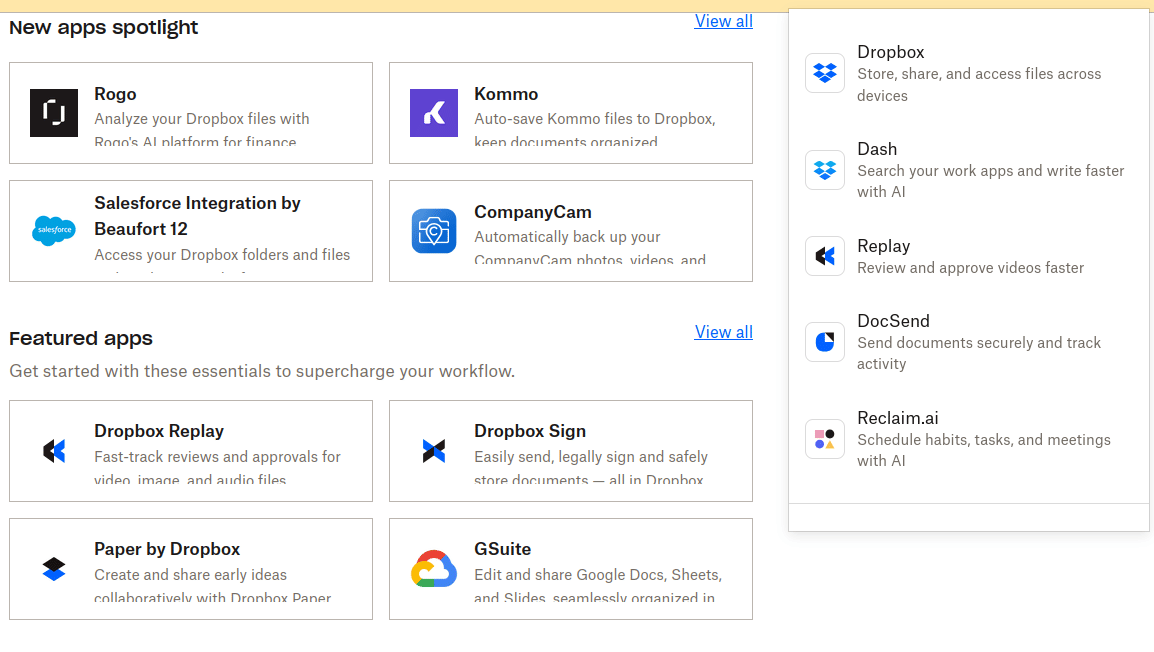
App/ integration ecosystem for Dropbox
As on July 2026, Dropbox Paper is still around, but it’s web-only now. Dropbox retired the native mobile and desktop clients, and they’re no longer available in app stores or as downloads.
The Enterprise Squeeze
So, what happened to the creative community’s favorite tool? The Hacker News crowd echoed a famous piece of tech lore: Steve Jobs once told Dropbox CEO Drew Houston that Dropbox was a "feature, not a product."
Jobs was right. Over the next decade, Google (Workspace), Microsoft (Microsoft 365), and AWS aggressively ate Dropbox’s lunch. For a while, Dropbox tried to pivot into the Enterprise sector, pushing collaboration tools and acquiring e-signature platforms to create a business suite. But the enterprise market is a tough nut to crack. Microsoft and Google already owned the corporate email and document ecosystems, and rival Box pivoted hard into strict corporate compliance, effectively cornering the Fortune 500.
Squeezed out of the enterprise, Dropbox was left fighting for its original base—creators, SMEs, and freelancers—a demographic highly vulnerable to churn when Google and Microsoft started giving away 1TB of storage for "free" with their email hosting.
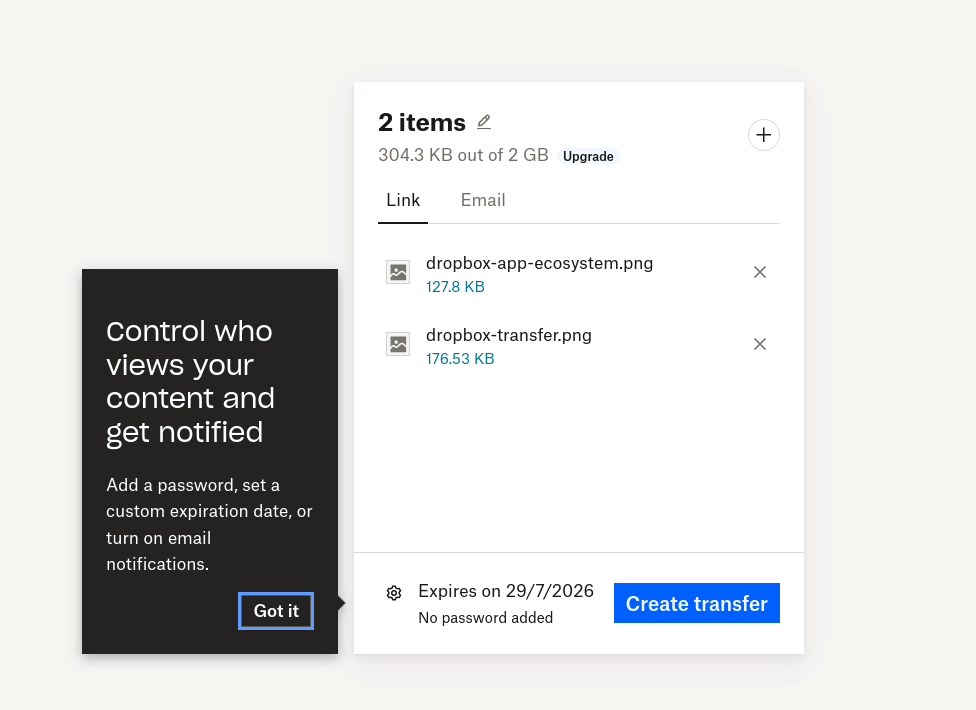
Dropbox Transfer - Wetransfer like service
The Landscape for Creators Today
As an SME and a creator, my team eventually moved on. We currently use Zoho WorkDrive as our daily driver, which handles our needs brilliantly.
But I still keep a close eye on the independent storage market. When I evaluate these tools today, my focus isn't really on "free vs. paid" limits. My focus is entirely on utility: Is this product really doing what I need it to do? And does it surprise me by offering more than I thought it could?
If you are looking outside the Big Tech ecosystems, there are still excellent, mature products out there that answer "yes" to those questions:
- pCloud: A robust, highly mature European product that offers a massive amount of features, a great interface, and unique lifetime pricing models.
- Koofr: Another fantastic European option with a focus on privacy. It even lets you connect and search across your other cloud accounts (like Google Drive or OneDrive) from one dashboard.
- Sync.com: A Canadian provider that is absolutely relentless about zero-knowledge privacy and end-to-end encryption.
- Nextcloud / ownCloud: For those who want total control over their data, these open-source, self-hosted platforms are incredible. They allow you to essentially build your own private Dropbox on your own servers, bypassing corporate cloud providers entirely.
- JioCloud: A localized, regional powerhouse. Personally, I find this platform exceptionally useful strictly for backing up my photos and media files.
The Death of "Do One Thing Right"?
Looking back at Dropbox’s trajectory leaves me with mixed feelings.
In the beginning, Dropbox was the ultimate poster child for the Unix philosophy: Do one thing, and do it right. They synced files flawlessly. But as they grew, investor pressure and market realities forced them to bolt on document editors, video reviewers, and signature trackers. They became bloated. Did they have to lose their core focus just to survive the Big Tech monopoly? Probably. But looking at the heavy, notification-laden Dropbox app of today compared to the lightweight, magical folder I installed in 2012, I can't help but wonder if "doing one thing right" is a philosophy that modern SaaS companies are simply no longer allowed to afford.
AI generated video based on screenshot captured by the author
What is your preference : Storage VPS versus dropbox like service ?
In this post, let us take a look at the storage vps versus dropbox like cloud storage services. We will compare the advantages or limitations of using a storage server (Virtual Private Server) compared to cloud storage providers. Convenience, Pricing, security and privacy, redundancy, scalability, ease of use are some of the parameters that we will discuss.
In the digital age, the way we store and manage data has evolved dramatically. With the rise of cloud storage solutions and traditional storage servers, individuals and organizations are faced with choices that can significantly impact their data management strategies. This blog post delves into the advantages and limitations of cloud storage, compares it with personal storage servers on a VPS (Virtual Private Server), and provides a step-by-step guide on setting up a Linux storage server using Debian as an example.
Cloud Storage: Advantages and Limitations
Cloud storage has become increasingly popular due to its convenience, scalability, and accessibility. Services like Dropbox, Koofr, and pCloud offer users the ability to access their data from anywhere in the world, provided they have an internet connection. These platforms come with various features designed to enhance user experience, such as file sharing, collaboration tools, and automatic backup systems.
Advantages of Cloud Storage
- Accessibility: Access your files from any device, anytime.
- Scalability: Easily adjust your storage capacity based on current needs.
- Cost-Effectiveness: Pay only for the storage you use without worrying about maintaining physical hardware.
Limitations of Cloud Storage
- Dependence on Internet Connection: Without internet access, you cannot access your files.
- Security Concerns: Storing sensitive information on external servers may pose security risks.
- Recurring Costs: Over time, subscription fees can accumulate.
Storage Server: Pros and Cons
A personal storage server (PS), on the other hand, gives you complete control over your data by allowing you to set up your own server infrastructure. This option is particularly appealing for those who prefer having physical control over their data or require high levels of security and customization.
Pros of Personal Storage Servers
- Control: Full authority over how data is stored, accessed, and secured.
- One-time Investment: Apart from maintenance costs, setting up a PS involves a one-time investment in hardware.
- No Dependency on Internet Connectivity: Access your files without an internet connection if you’re within the network.
Cons of Storage Servers
- Complex Setup Process: Requires technical knowledge to set up and maintain.
- Physical Space Requirement: You need space to house your server hardware.
- Potential for Data Loss: Without proper backup systems in place, there’s a risk of losing all data due to hardware failure or disasters.
Setting Up a Linux Storage Server Using Debian
Setting up a Linux storage server requires some technical know-how but can be rewarding for those who value control over their digital assets.
- Install Debian: Download the latest version of Debian and follow installation instructions.
- Configure Network Settings: Ensure your server is connected to your network correctly.
- Install Necessary Packages: Install Samba for file sharing across different operating systems or NFS for Linux-based networks.
- Create Shares: Configure shared directories according to your requirements.
- Set Up Security Measures: Implement firewalls and encrypt sensitive data to protect against unauthorized access.
By following these steps carefully, you can have a fully functional personal storage server that caters specifically to your needs.
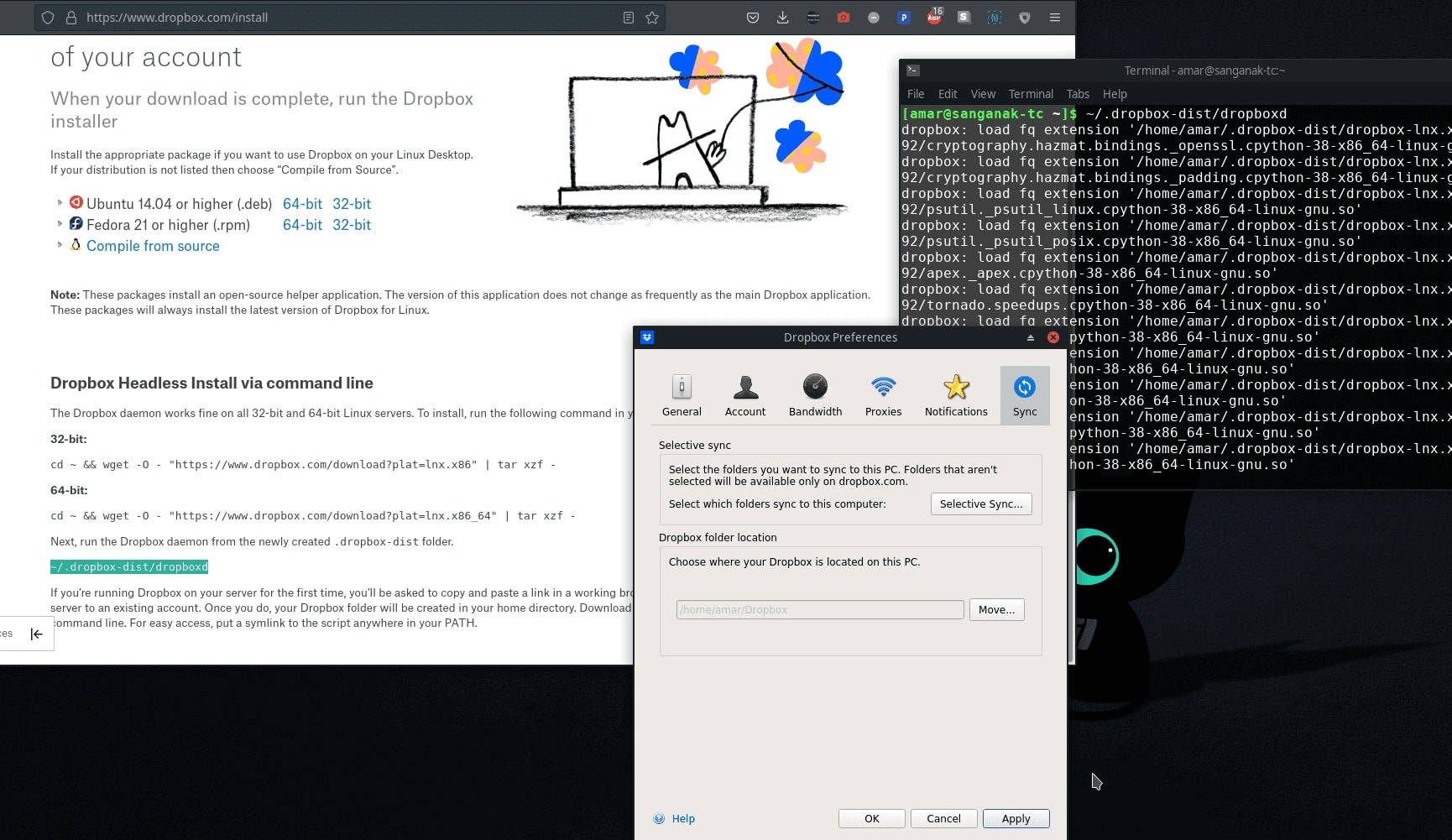
Dropbox client for Manjaro linux
Takeaways
Choosing between cloud storage solutions like Dropbox or Koofr versus setting up a personal storage server depends largely on individual needs regarding accessibility, control over data security measures required by users or organizations alike when managing their digital assets effectively today’s interconnected world where information flows freely yet must remain protected at all times against potential threats both online offline environments alike
Conclusion : The Storage VPS versus Dropbox Like Services
The decision between cloud storage solutions such as Dropbox or Koofr versus setting up one’s own personal storage server involves weighing factors like ease of use against control over one’s digital environment; ongoing costs against initial investments; reliance on internet connectivity vs local network dependency among others considerations critical ensuring effective management safeguarding valuable information modern era driven technological advancements changing rapidly every day making it essential stay informed make informed decisions best suit specific requirements whether individual organizational level alike ensuring optimal performance security times ever-evolving landscape digital age continues unfold before us each passing day.
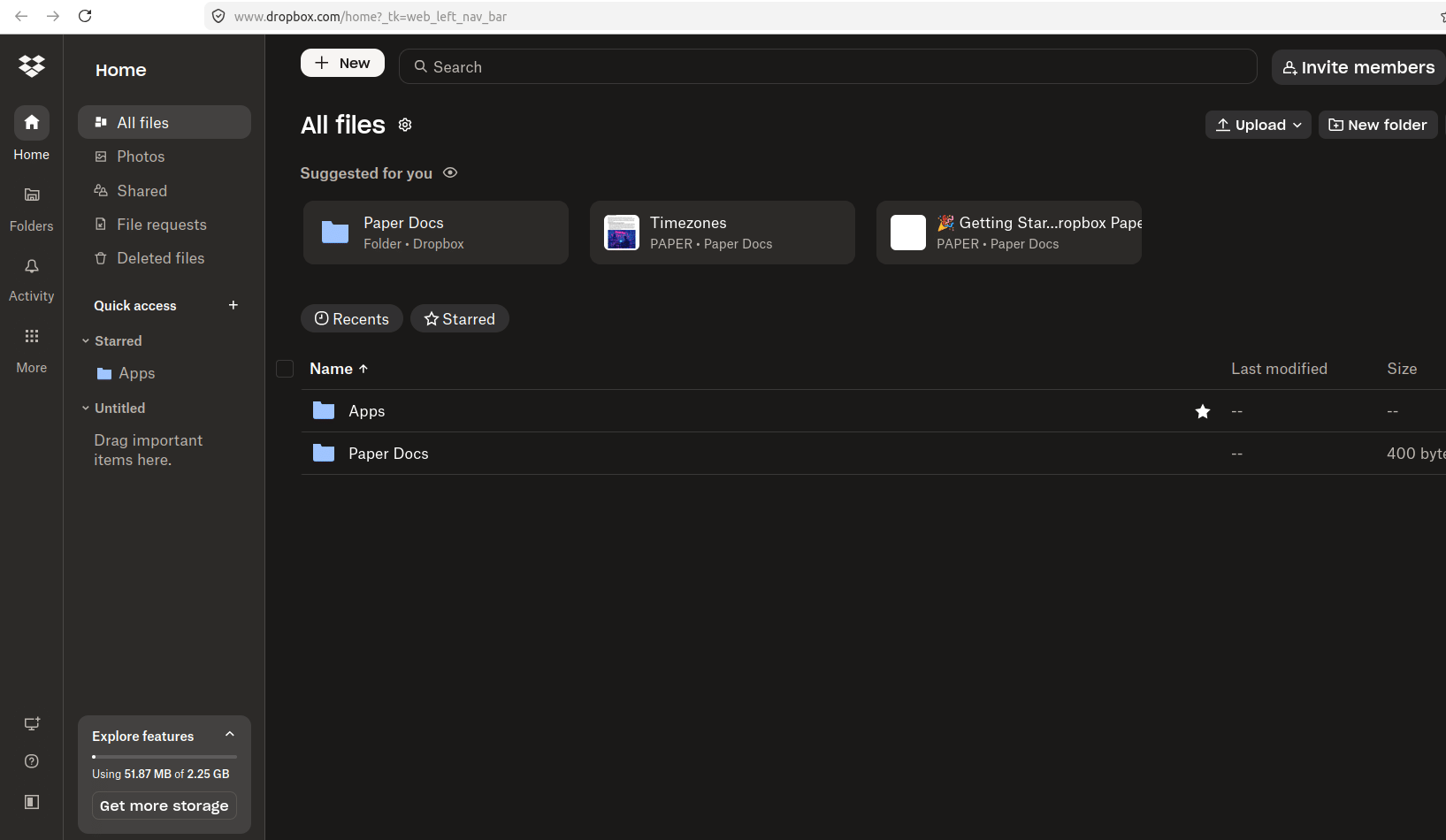
Dropbox Dashboard- July 2026. Dark Mode.