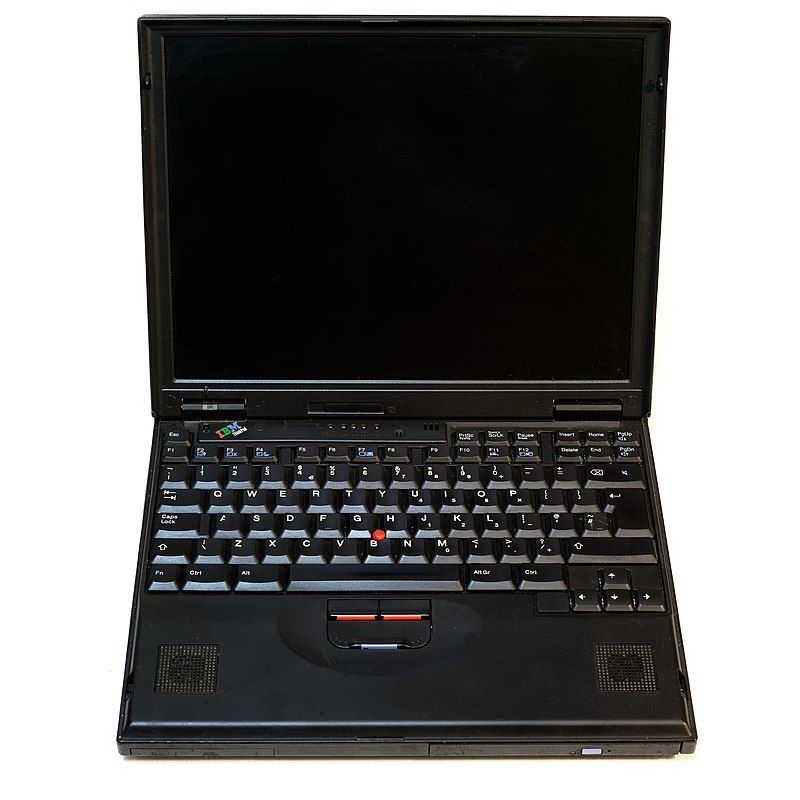
Trip Down Memory Lane: My First Laptop
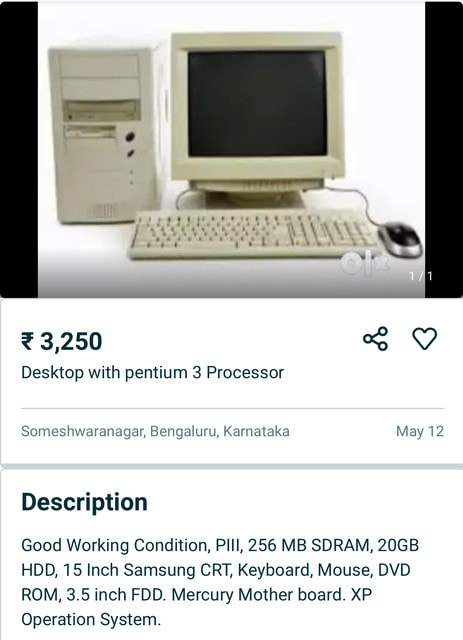
A few days ago, while browsing a web hosting forum, I came across a post linking to an old IBM desktop that had surfaced on eBay. The machine itself was unremarkable by today's standards, boasting a Pentium processor running at just over a hundred megahertz, a hard disk measured in single digit gigabytes rather than terabytes, 32 MB of RAM, a floppy drive, and a CD-ROM. Yet those specifications instantly transported me back more than two decades, reminding me of the first laptop I ever owned.
My First Laptop
Towards the end of 2000, I had just moved to the United States as a graduate student at the University of Illinois. Like most international students, my budget was limited, and buying a brand-new laptop was simply out of the question. Fortunately, the early days of eBay had opened up a completely new marketplace where off-lease corporate hardware found a second life, often at prices that students could actually afford.
After a fair amount of searching, I settled on a used IBM ThinkPad 380 series laptop. In hindsight, it had almost certainly spent its first few years in a corporate office somewhere in the United States before eventually finding its way onto eBay. It arrived running Windows 98 and looked every bit like the serious business machine it had once been. Compared to the desktop computers I had been using until then, this felt like a significant upgrade, even if its specifications would seem laughably modest today.
One of the things I appreciated almost immediately was that this wasn't a flashy consumer laptop. IBM's ThinkPad line had a reputation for durability, practicality and exceptional keyboards, qualities that would eventually become synonymous with the brand. At the time, however, I wasn't thinking about design philosophy or corporate engineering. I was simply thrilled to own a laptop that was finally mine.
IBM ThinkPad 380 Series (Approx. Specifics)
| Component | Specification |
|---|---|
| Processor | Intel Pentium MMX (166–233 MHz) |
| Memory | 48 MB RAM (16 MB onboard + 32 MB expansion module) |
| Storage | 2–4 GB IDE Hard Disk |
| Display | 12.1-inch TFT Display |
| Optical Drive | Modular CD-ROM Drive |
| Operating System | Windows 98 |
| Networking | External Ethernet adapter / dongle |

When Broadband Felt Like Magic
It is difficult to explain to someone who has grown up with fibre broadband and Wi-Fi just how exciting home broadband felt in the year 2000. At the University, we enjoyed blazing-fast T1 Internet connections in the computer laboratories, allowing us to download software, browse the web and exchange research material at speeds that seemed almost magical. Returning home, however, meant reconnecting to the familiar world of dial-up Internet, complete with modem sounds, busy telephone lines and painfully slow downloads.
Like many students, I relied on AOL's free dial-up service for a while because it cost me virtually nothing. The software came bundled with colourful interfaces, promotional offers, toolbars and enough clutter to fill the entire screen, but free Internet was free Internet, and there was very little to complain about when every dollar mattered. A few local Internet providers also catered specifically to University students, offering limited monthly bandwidth quotas that seemed perfectly reasonable at the time.
So when AT&T announced cable broadband in our area, I was genuinely excited. This wasn't merely a faster Internet connection; it felt like stepping into the future. Web pages would load instantly, downloads would complete in minutes rather than hours, and the Internet would no longer monopolise the household telephone line. Like many technology enthusiasts of that era, I could hardly wait for installation day, convinced that this would be one of those defining upgrades that completely changed the way I used my computer.
The 16 MB Mystery
Installation day finally arrived, and with it came an unexpected disappointment. The AT&T technician booted up the ThinkPad, checked the system specifications, and almost immediately informed me that he could not proceed with the installation. Their minimum hardware requirement was 32 MB of RAM, while my laptop was reporting only 16 MB. As far as he was concerned, the machine simply did not meet the eligibility criteria for broadband.
Needless to say, I wasn't particularly pleased. The seller's listing had clearly stated that the laptop came with 32 MB of RAM, so I immediately reached out to him. His response was a mixture of surprise and irritation. He insisted that there was no such ThinkPad configuration that would mysteriously lose half its installed memory overnight and challenged me to show him a machine with those specifications that genuinely had only 16 MB installed. Looking back, I can understand his frustration. From his perspective, he had shipped exactly what he had advertised.
A friend suggested the simplest possible solution. Buy another 16 MB memory module and install it. My mathematics was straightforward enough. If the laptop genuinely had only 16 MB, adding another 16 MB would take it to the required 32 MB and satisfy AT&T's installation requirements. It wasn't an elegant solution, but it seemed practical enough for a graduate student trying to save both time and money.
The result was something I hadn't expected. After installing the additional memory module and restarting the system, Windows proudly reported 48 MB of RAM. Somehow, the original 32 MB expansion module had been present all along but simply wasn't being recognised correctly. Whether it was a BIOS quirk, a poorly seated module or some other hardware oddity, I never really found out. What mattered was that the machine suddenly had exactly the amount of memory the seller had originally promised, and broadband installation could finally go ahead.
Today, upgrading a computer by 32 MB sounds almost comical when even basic entry level smartphones routinely ship with several gigabytes of RAM. Back then, however, discovering an extra 32 MB felt like finding hidden treasure. That unexpected upgrade transformed what had seemed like a failed purchase into a capable little workstation that would accompany me through assignments, programming exercises and countless late nights during graduate school.
Living with the ThinkPad
Once the broadband was working and the memory mystery had been resolved, the ThinkPad settled into its role as my everyday companion. It travelled with me between my apartment and the university, handled assignments, email, programming work and countless hours of web browsing, and quietly became one of the most useful possessions I owned. Looking back, I probably spent more waking hours in front of that keyboard than anywhere else outside the classroom.
The specifications may appear painfully modest by today's standards, but at the time they were more than adequate for the work I needed to do. Microsoft Office, web browsers, email clients and development tools all happily coexisted within a few gigabytes of storage and a few dozen megabytes of RAM. There was very little background activity competing for resources, operating systems were comparatively lightweight, and software generally respected the limitations of the hardware on which it ran.
For two months I probably spent more waking hours in front of that ThinkPad than anywhere else outside the university. Assignments, email, web browsing, programming exercises, resumes, and the occasional late-night experiment all happened on that keyboard. It wasn't just another computer; it quietly became the centre of my graduate-school life.
Dongle Dilemma
A few months later, I decided it was time to upgrade to a newer laptop with better specifications. My ThinkPad had served me well, but graduate school workloads were increasing, newer machines were becoming more affordable, and I felt it was the right time to move on. Naturally, my first instinct was to list it on eBay, the very platform from which I had originally purchased it.
That plan lasted only briefly. My listing was removed because I did not have the original Microsoft Windows licence media that had accompanied the laptop when it was first sold. I remember writing to eBay pointing out the obvious irony that I had purchased exactly the same laptop through their platform only weeks earlier without anyone raising an objection. Unsurprisingly, I never received a meaningful response, making it one of my earliest encounters with the sometimes puzzling realities of online marketplaces and corporate customer support.
Eventually, I listed the ThinkPad on Yahoo Marketplace instead, where a lady from Florida expressed genuine interest in buying it. We exchanged several emails discussing the machine, its condition and the logistics of shipping it across the country. To my surprise, her biggest concern wasn't the processor, the memory or even the hard disk. What mattered most to her was whether I was including the networking dongle that came with the laptop.
Note: Yahoo Marketplace was a consumer-to-consumer classifieds and shopping platform operated by Yahoo during the early 2000s, but the service faced increasing competition from rivals like eBay and Craigslist before being officially shut down on June 30, 2008.
One of her emails carried the unforgettable subject line: "Dongle Dilemma." Even after all these years, I can still remember smiling when I saw it. That little phrase somehow captures the spirit of early e-commerce better than any technical specification ever could. Back then, online shopping relied heavily on trust. Buyers worried whether sellers would actually ship the product, while sellers worried whether payment would arrive. Tracking numbers were still reassuringly novel, PayPal was only beginning to gain acceptance, and every transaction carried a degree of uncertainty that younger readers might find difficult to imagine today.
Looking back, I sometimes wonder where that ThinkPad is today. It probably began life in an American corporate office, found its way to a graduate student from India in Illinois, and then continued its journey to another owner in Florida. Somewhere along the way, it quietly connected three very different lives.
Goodbye ThinkPad, Hello VAIO
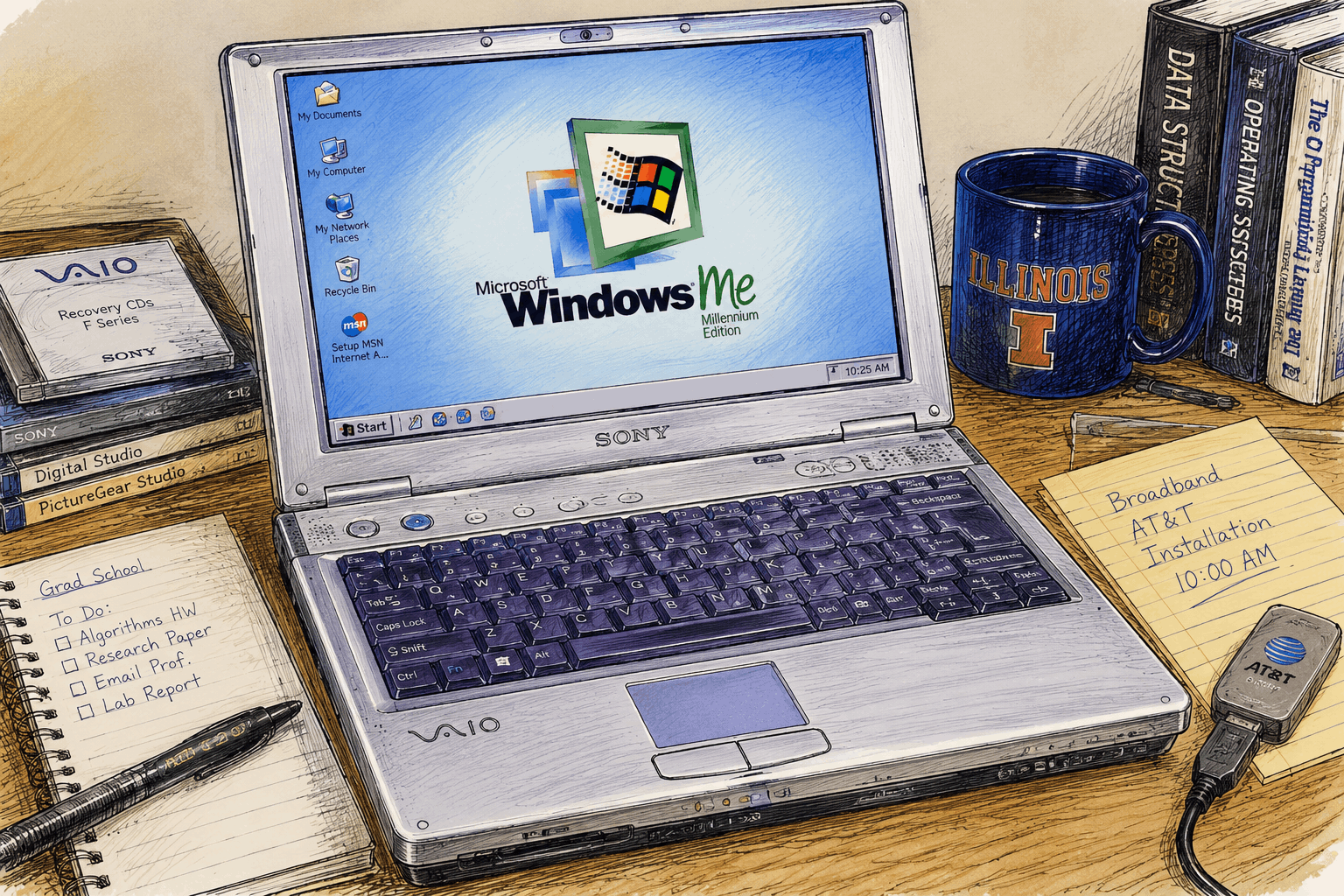
Image: Sony VAIO notebooks from the early 2000s.
Not long after selling the ThinkPad, I purchased what was, by every definition, my first brand-new laptop—a silver Sony VAIO. I think the model was PCG-F650. Compared to the IBM, it looked modern, stylish and considerably more multimedia-oriented. The specifications were better, the hardware was newer, and like many people at the time, I convinced myself that this upgrade was necessary for graduate school. Looking back with the benefit of hindsight, I suspect the justification was at least as much emotional as it was practical, but that is probably true of many technology purchases we make throughout our lives.
The VAIO shipped with Windows ME, Microsoft's much-publicised successor to Windows 98. On paper, it promised a better multimedia experience and a more modern operating system. In practice, however, my experience was far less memorable for the right reasons. Random crashes, unexpected reboots and the occasional Blue Screen of Death became frequent enough that I found myself spending more time recovering from problems than actually using the computer.
Fortunately, I had made friends with a fellow graduate student named Nico, who happened to be an enthusiastic Linux user. Like many good mentors, he didn't preach the virtues of open-source software or try to convince me with philosophical arguments. He simply suggested, almost casually, "Why don't we install Linux?" That one suggestion would end up influencing my relationship with computers far more than either of us could have imagined at the time.
My Introduction to the World of Linux
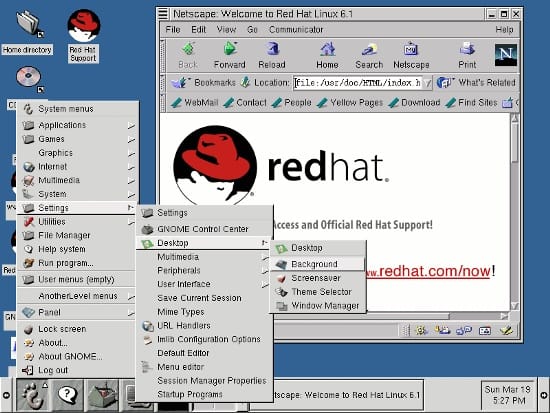
Red Hat Linux 6.2 "Zoot"
The first Linux distribution I installed on that Sony VAIO was Red Hat Linux 6.2, codenamed "Zoot." The installation arrived on two compact discs, and compared to the floppy-disk based installations that had characterised earlier Linux distributions, it already felt remarkably convenient. I still remember watching the installer partition the hard disk, copy packages and reboot into an operating system that looked completely different from anything I had used before. It was exciting, intimidating and fascinating, all at the same time.
A couple of weeks later, Nico suggested that I should also try Mandrake Linux, which was rapidly becoming known for being more user-friendly than Red Hat. Coming from Latin America, he had his own wonderfully distinctive pronunciation of "Man-dra-kee." It was one of those tiny cultural associations that had absolutely nothing to do with Linux, yet somehow remained firmly lodged in my memory.
For reasons I can no longer explain, it always reminded me of The Guns of Navarone and the fictional Island of Mandrakos.
Like many newcomers to Linux during that era, I quickly discovered that installing the operating system was often the easiest part. My own initiation came in spectacular fashion. One day the laptop suddenly emitted a constant, high-pitched shrill sound that refused to stop. The system became completely unresponsive, leaving me with no option except to perform a hard shutdown. When I restarted the laptop, I was greeted by a screen full of unfamiliar diagnostic messages culminating in two words that I had never encountered before:
Kernel Panic.
Completely unfamiliar with Linux terminology, I walked over to Nico and announced, with genuine concern, "i think the kernel is scared."
He looked at the screen, smiled almost immediately, and said, "No... that's called a kernel panic."
Then, with the calmness of someone who had clearly seen this many times before, he added,
"Welcome to the world of Linux."
Coming to Full Circle
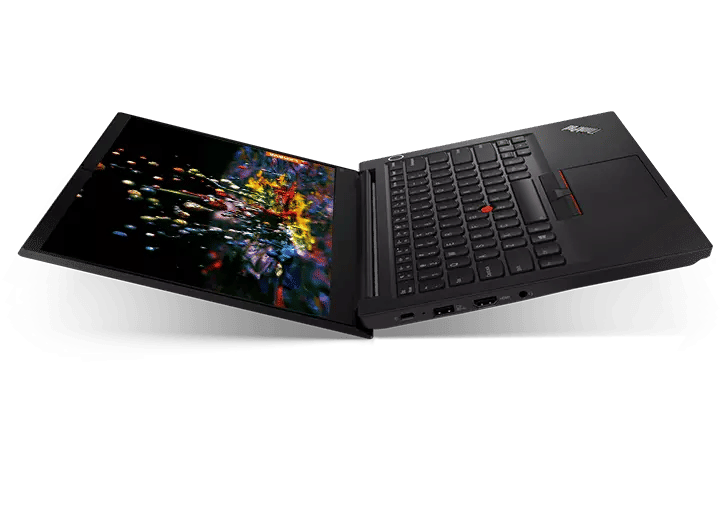
Image: Lenovo ThinkPad (2021 generation).
By the time December 2021 arrived, Windows ME had long disappeared into computing history, Linux had matured into an operating system powering everything from smartphones to supercomputers, broadband had become ordinary, and storage capacities that once seemed unimaginably large had become commonplace. And when it came time to buy another laptop, I found myself returning to a familiar name.
The badge now read Lenovo instead of IBM, but the ThinkPad heritage remained unmistakable. My new machine featured an AMD Ryzen 5 5300U processor, 24 GB of DDR4 memory and a 1.5 TB NVMe solid-state drive. Compared to my first ThinkPad, the improvements were almost beyond comprehension. The processor was exponentially faster, the memory had grown from megabytes to gigabytes, storage had expanded from a few gigabytes to well over a terabyte, and applications that once took minutes to launch now opened almost instantly.
Lenovo ThinkPad (2021)
| Component | Specification |
|---|---|
| Processor | AMD Ryzen 5 5300U |
| Memory | 24 GB DDR4-3200 |
| Storage | 1.5 TB NVMe PCIe Gen3 ×4 SSD |
| Display | Full HD IPS Display |
| Operating System | Linux Mint / Windows (dual-use over time) |
Chek the full specifications here
While placing the order, I remember smiling to myself and making an offhand remark. "This is probably my last x86 laptop." At the time it sounded like a joke. Nearly five years later, looking at how capable the machine still is and how dramatically hardware prices—particularly memory and storage—have evolved, that casual prediction no longer feels quite so far-fetched.
Feature Image: Lenovo Thinkpad (via Wikipedia).
